SensePCSensePC
SensePC For Business
Pricing
Launch SensePC in your browser

Product

  • Free Signup Today
  • Cloud Gaming PC
  • SensePC
  • SenseCloud
  • How to Choose PlanNew
  • SensePC for Business
  • AI Developer Cloud PCNew
  • Cloud PC for Work & AI

Resources

  • FAQ
  • BlogNew
  • StudioNew
  • Pricing
  • Tutorials
  • Data Center LocationsNew
  • Compare Cloud PC Providers

Company

  • Contact
  • Security
  • About Us
  • Welcome Page

Legal

  • Privacy Policy
  • Terms of Service

Newsletter

Get the latest SensePC product updates, cloud PC news, feature releases, launch announcements, and platform improvements.

Subscribe to our newsletter:

Access powerful cloud PCs for gaming, work, AI, development, and creative workloads from supported Windows and macOS computers.

© 2026 SensePC® — a product of Senseminder LLC. All rights reserved.

    Back to Blog
    1. Home
    2. Blog
    3. Cloud Gaming
    4. Low Latency Cloud Gaming, Explained

    Low Latency Cloud Gaming, Explained

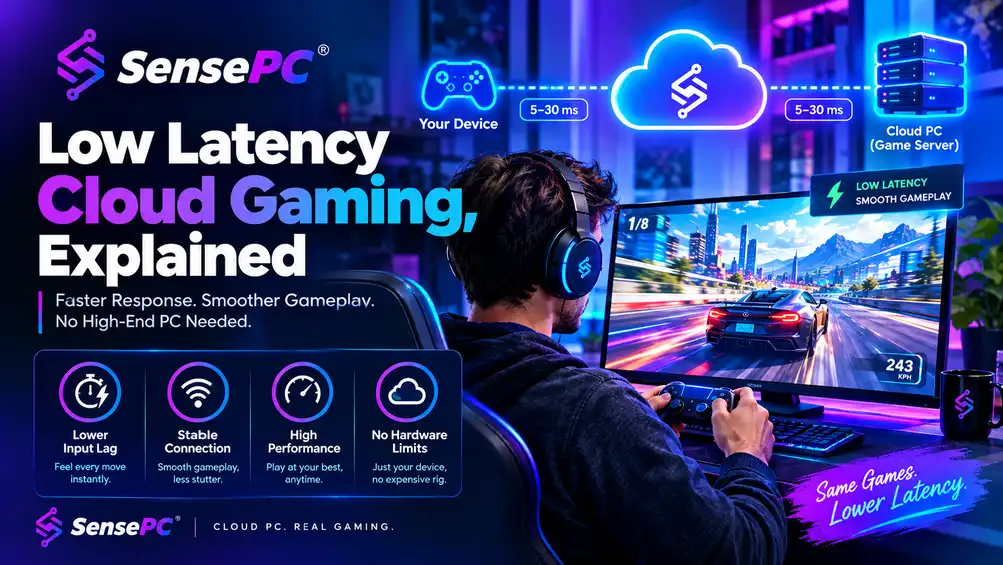
    Low latency cloud gaming isn't one number — it's the combined result of network latency (distance to the data center), streaming protocol efficiency, remote GPU/CPU performance, and your local connection and device. Ping alone doesn't tell the whole story: a 20ms route can still feel sluggish if the stream is poorly encoded or the remote machine is underpowered. The goal is Ultra-low latency streaming, which is impossible — it's keeping total delay low enough that the game feels responsive.

    GGhulam RahimSep 15, 202614 min readCloud GamingSensePC EditorialUpdated Sep 19, 2026
    Low Latency Cloud GamingCloud Gaming PCBrowser Gaming PCCloud PC SSDDedicated GPU HardwareGaming PC AlternativeHourly Billed Gaming Computer
    ~14 min
    Speed
    Low Latency Cloud Gaming

    Short answer: Low latency cloud gaming isn't one number — it's the combined result of network latency (distance to the data center), streaming protocol efficiency, remote GPU/CPU performance, and your local connection and device. Ping alone doesn't tell the whole story: a 20ms route can still feel sluggish if the stream is poorly encoded or the remote machine is underpowered. The goal is Ultra-low latency streaming" or "Sub-frame latency, which is impossible — it's keeping total delay low enough that the game feels responsive.

    A game can look perfect at 120 FPS and still feel off the second you touch the mouse. That gap is latency, and it's the difference between cloud gaming that feels playable and cloud gaming that feels native. The chain is longer than on a local gaming PC: your input travels over the internet to a remote Windows gaming machine, the game processes it and renders a frame on the GPU, the video gets compressed and sent back, and your screen displays it. Every step adds delay.

    What Low Latency Cloud Gaming Actually Means

    People often focus only on ping, but ping is just part of the picture. This is why gaming-first cloud infrastructure matters — a general remote desktop stack may be fine for spreadsheets or browser work, but gaming is less forgiving. Fast GPU rendering, low-overhead streaming protocols, and stable frame delivery matter because every extra layer shows up in your hands.

    Tolerance for delay varies by genre. Turn-based strategy, deckbuilders, and many RPGs are usually fine with moderate latency. Competitive shooters, racing games, fighting games, and fast platformers are where weak cloud setups get exposed fast — if the camera drags behind your mouse movement or inputs land late during close fights, the service isn't actually low latency for the games you care about.

    The Biggest Factors That Affect Latency

    Distance to the Data Center

    Physics still wins. The farther you are from the server running your game, the longer data takes to travel back and forth — server location is one of the biggest performance variables in cloud gaming. A powerful remote PC in the wrong region can feel worse than a slightly lower-spec machine that's physically closer.

    This is also why your experience can change by time of day or while traveling — if your traffic is taking a longer route through congested ISP paths, latency can rise even if your internet speed test looks strong.

    The Streaming Protocol

    Cloud gaming lives or dies by how frames are delivered. Some streaming systems are tuned for office desktops, where text clarity matters more than input responsiveness. Others are built to prioritize lower encode latency, cleaner motion handling, and better controller or mouse feel.

    A platform using a native performance mode designed for interactive workloads has a clear advantage — you want the stream to react like a gaming pipeline, not a business VDI session repurposed for games.

    GPU and CPU Performance on the Remote Machine

    If the remote machine can't render the game consistently, latency gets worse before the stream even reaches you. An overloaded GPU produces uneven frame times; a weak CPU can bottleneck simulation and input processing. Cloud gaming doesn't erase hardware demands — it just moves them to the data center.

    That's why dedicated GPU access matters. Shared resources can work for lighter workloads, but serious AAA gaming benefits from predictable performance — if a cloud PC is built for gaming first, frame delivery is more stable, and stable frame delivery is a big part of perceived responsiveness.

    Your Local Connection and Device

    You don't need a gaming rig to use cloud gaming well, but your local setup still matters. Wi-Fi can work, but weak signal quality, interference, and crowded home networks introduce jitter and packet loss — Ethernet is usually the safer choice, and if that's not practical, strong 5 GHz or Wi-Fi 6 is the next best option.

    Your screen and input devices also matter more than people think. A high-latency TV with game mode off can add enough delay to make a decent stream feel bad. A basic office mouse with inconsistent polling can make aiming feel floaty. Not every issue is the cloud service itself.

    Why Some Cloud Gaming Setups Feel Better Than Others

    "Cloud gaming" covers very different products — browser-based instant play services, closed game libraries, and full Windows cloud PCs are not the same thing. play PC games in the cloud covers this distinction in depth.

    A full cloud gaming PC has one major advantage: you're not relying on a one-size-fits-all console-style stream. You're using a real Windows machine in the cloud with your own game launchers, settings, and installed titles — meaning you can tune graphics, cap frame rates, adjust resolution, and optimize for responsiveness the same way you would on a local machine. If your goal is low latency, lowering in-game settings to lock a stable frame rate is often smarter than chasing ultra visuals. For many players, that control is the difference between a stream that feels acceptable and one that feels sharp and immediate.

    SensePC offers gaming-ready Windows 11 cloud PCs with dedicated NVIDIA L4 GPUs, persistent storage, and a native low-latency performance mode, aligning the service with how gamers actually play — install your launchers, tune your settings, and return to the same machine state without rebuilding everything every session.

    How to Improve Low Latency Cloud Gaming

    1. Use the closest available region. If you have a choice between data centers, proximity is usually worth more than small spec differences.
    2. Stabilize your local network. Wired Ethernet is best. On Wi-Fi, move closer to the router, use 5 GHz when possible, and avoid bandwidth-heavy downloads or video streaming on the same network while you play — raw download speed matters less than consistency.
    3. Tune the game for response, not screenshots. Lower settings that cause frame spikes, disable unnecessary overlays, and choose a resolution and frame cap your remote machine can hold steadily. A locked, consistent stream nearly always feels better than a higher but unstable frame rate.
    4. Use the right display path. Enable game mode on TVs, use a monitor if you can, and keep your local device free of background tasks that might interfere with video decoding. Local setup steps that affect responsiveness covers this in more detail.

    The Trade-Offs Are Real

    Cloud gaming is not magic. If your internet route is unstable, no remote GPU will fix that. If you play at the highest competitive level in twitch shooters or fighting games, a top-tier local rig on a low-latency monitor still has the edge.

    But that doesn't make cloud gaming a compromise for everyone. For a large group of players, the bigger problem isn't shaving the last few milliseconds — it's avoiding a $1,500 to $3,000 hardware purchase, the upgrade cycle that follows, the noise, heat, storage limits, and the fact that a gaming setup is stuck in one place.

    Is Low Latency Cloud Gaming Good Enough for Real Gamers?

    For many use cases, yes. If you're near a well-placed data center, on a stable connection, and using a gaming-focused cloud PC, modern low latency cloud gaming is good enough for AAA single-player titles, co-op games, MMOs, racing games, and plenty of online shooters. The better question is whether it's good enough for your games, your connection, and your tolerance for delay.

    If you want flexible access to a real gaming PC from a laptop, desktop, or Mac without buying premium hardware upfront, cloud gaming is already a strong option. If you expect perfect parity with a local esports setup in every scenario, it still has limits — the smart move is to judge cloud gaming by feel, not marketing claims. Measure the route, test the session, adjust the settings. If the stream disappears and the game responds the way your hands expect, the setup is doing its job.

    Why does my cloud gaming feel laggy even with fast internet?

    Raw download speed isn't the main factor — latency comes from a combination of distance to the data center, connection stability (jitter and packet loss), the streaming protocol's efficiency, and the remote machine's GPU/CPU performance. A fast but unstable connection can feel worse than a slower, more consistent one.

    What ping is good enough for cloud gaming?

    There's no single universal number — it depends on the game. Slower-paced genres (strategy, RPGs, deckbuilders) tolerate more delay comfortably; competitive shooters, racing games, and fighting games need the total latency chain (network plus encoding plus rendering) to stay low enough that inputs feel immediate.

    Does Wi-Fi work for cloud gaming, or do I need Ethernet?

    Wi-Fi can work, especially 5 GHz or Wi-Fi 6, but wired Ethernet is more consistent since it avoids interference, signal weakness, and network congestion that introduce jitter — consistency matters more than raw speed for how responsive the game feels.

    Should I lower my graphics settings to reduce cloud gaming latency? Often yes. A locked, stable frame rate at lower settings usually feels more responsive than higher settings with frame rate dips — tuning for consistency rather than maximum visual quality is one of the most effective ways to improve how a cloud gaming session feels.

    Is cloud gaming latency good enough for competitive esports-level play? It can be close for many online shooters and competitive titles with a strong connection and a well-placed data center, but a top-tier local rig on a low-latency monitor still has an edge at the highest competitive level — cloud gaming's real advantage is for the large majority of players who aren't optimizing for that last few milliseconds.

    Frequently Asked Questions About Low Latency Cloud Gaming

    1. What is render latency in gaming?

    Render latency is the time it takes for a game frame to move through the rendering pipeline before it appears on the player's display. It is one component of overall gaming responsiveness and can be affected by CPU processing, GPU rendering, frame queues, display technology, and system configuration.

    Render latency is different from network latency. Network latency measures how long data takes to travel between your device and a remote server, while render latency relates to processing and displaying frames.

    In cloud gaming, both network latency and rendering performance can affect how responsive the game feels.

    2. What are the best ways to reduce render latency in games?

    The best ways to reduce render latency include reducing unnecessary frame buffering, maintaining consistent GPU performance, optimizing game settings, using appropriate frame-rate limits, keeping graphics drivers updated, and using hardware and display settings designed for responsive gaming.

    For cloud gaming, reducing latency also requires attention to the network connection between the player and the cloud gaming server. A powerful remote GPU cannot completely compensate for a poor or high-latency network connection.

    3. What is the difference between render latency and network latency?

    Render latency is associated with processing and displaying a frame, while network latency is the delay involved in transferring information between your device and a remote server.

    For example, in a traditional local gaming PC, most game processing and rendering happens locally, so network latency may have little effect on the game's basic rendering pipeline.

    In cloud gaming, the game runs on a remote cloud computer. Player input travels to the remote computer, the game processes the input, a frame is rendered, and the resulting video is transmitted back to the player's device. This makes network latency an important part of the overall experience.

    4. What is low-latency cloud gaming?

    Low-latency cloud gaming means playing games on remote cloud infrastructure while minimizing the delay between player input and the resulting action appearing on the screen.

    A good low-latency cloud gaming experience depends on several factors, including:

    • Distance to the cloud gaming server

    • Network latency and routing

    • Internet connection quality

    • Server performance

    • GPU rendering performance

    • Video encoding and decoding

    • Frame buffering

    • Display refresh rate

    • Input devices

    A cloud gaming PC can therefore require more than powerful hardware; the network path between the player and the cloud computer is also critical.

    5. What is game latency and why does it matter?

    Game latency is the delay between an action, such as pressing a keyboard key or moving a mouse, and seeing the corresponding result in the game.

    Lower latency generally makes games feel more responsive. High latency can produce noticeable delays between input and on-screen action, which can be particularly problematic in competitive games.

    Cloud gaming introduces additional latency considerations because game processing and rendering occur on remote infrastructure rather than entirely on the local device.

    6. How can I reduce latency when using a cloud gaming PC?

    To reduce latency on a cloud gaming PC, choose a server or data center that is geographically and network-wise close to you, use a stable high-speed connection, prefer Ethernet or a strong low-interference Wi-Fi connection, minimize network congestion, and avoid unnecessary background network activity.

    The cloud provider's infrastructure also matters. Server location, network routing, GPU performance, encoding technology, and remote-access technology can all influence the final experience.

    SensePC users evaluating cloud gaming should therefore consider both the computing configuration and network characteristics rather than looking only at CPU or GPU specifications.

    7. What internet speed is best for low-latency cloud gaming?

    There is no single internet-speed number that guarantees low latency. Bandwidth and latency are different measurements.

    Bandwidth determines how much data can be transferred, while latency measures the delay involved in communication. A very fast connection can still have poor gaming responsiveness if the route to the cloud gaming server has high latency or unstable routing.

    For cloud gaming, users should consider download and upload capacity, ping, jitter, packet loss, connection stability, and the distance to the cloud gaming infrastructure.

    8. Does server location affect cloud gaming latency?

    Yes. Server location can significantly affect cloud gaming latency. Generally, a shorter and more efficient network path between the player and the cloud gaming server can reduce round-trip network delay.

    However, physical distance is not the only factor. Internet service provider routing, network congestion, peering, infrastructure quality, and routing paths can also influence latency.

    When comparing cloud gaming services or cloud PC providers, users should therefore consider where the computing infrastructure is located relative to their location.

    9. Is Shadow Cloud Gaming different from a cloud gaming PC?

    Yes, although the concepts overlap. Shadow Cloud Gaming refers to using a remotely hosted PC through a cloud service, while “cloud gaming PC” is a broader term that can describe a remotely hosted computer used for gaming.

    A cloud gaming PC may provide a more general-purpose computer environment, potentially allowing users to install and use applications beyond gaming, depending on the provider's policies.

    When comparing Shadow PC alternatives, users should evaluate GPU performance, server locations, latency, storage, operating system access, application support, pricing, and usage restrictions.

    10. What is AirGPU cloud gaming?

    AirGPU is an example of a cloud PC rental approach in which users can access GPU-enabled virtual computing resources remotely. This type of service can be used for workloads such as cloud gaming, rendering, and other GPU-intensive applications.

    When comparing AirGPU with other cloud PC providers, users should consider GPU options, pricing, server locations, latency, storage, operating-system access, and workload compatibility.

    SensePC can also be evaluated as a cloud PC option for users interested in remotely hosted computing for gaming and other demanding workloads, depending on the available configuration.

    11. What tools can help reduce latency on a PC?

    The appropriate latency-reduction tools depend on the type of latency being measured.

    For network latency, useful diagnostics can include ping tests, traceroute tools, network monitoring utilities, and packet-loss testing.

    For system or rendering latency, users can examine frame-time data, GPU utilization, CPU utilization, frame queues, refresh rate, and input-to-display measurements.

    For cloud gaming, it is useful to measure both network and rendering-related performance because improving only one part of the pipeline may not eliminate the overall delay.

    12. Is low latency important for cloud gaming?

    Yes. Low latency is particularly important for cloud gaming because the game runs remotely and the player's input must travel to the cloud computer before the resulting frame can be rendered and transmitted back.

    Latency is less noticeable in some slower-paced games and more noticeable in competitive or fast-action games.

    For this reason, selecting a cloud gaming provider should involve more than comparing GPU specifications. Server location, network quality, encoding, rendering performance, and connection stability are also important.

    13. Can SensePC be used for low-latency cloud gaming?

    SensePC provides cloud-based PC environments that can be used for remotely hosted computing workloads, including gaming where the selected configuration and supported use case are appropriate.

    For users interested in low-latency cloud gaming, the important considerations include the available hardware configuration, cloud infrastructure, network route, server location, internet connection, and game requirements.

    Rather than assuming that any cloud PC will provide the same gaming experience, users should evaluate the complete latency pipeline—from player input and network transmission through remote processing, rendering, encoding, and display.

    14. How do I choose a low-latency cloud gaming provider?

    When choosing a low-latency cloud gaming provider, evaluate:

    • Server and data-center locations

    • Network latency and routing

    • GPU performance

    • CPU and RAM

    • Encoding and streaming performance

    • Supported resolution and frame rates

    • Storage

    • Game compatibility

    • Connection stability

    • Pricing and usage limits

    • Device compatibility

    • Customer support

    For SensePC vs. other cloud gaming services, these criteria provide a more meaningful comparison than brand name alone.

    15. What is the difference between cloud gaming latency and local PC latency?

    With a local gaming PC, the game runs and renders on the computer in front of you, so the network does not normally sit between your input and the game's rendering process.

    With cloud gaming, the game runs on a remote computer. Input must travel to the cloud infrastructure, the remote system processes and renders the game, and the resulting video must return to your device.

    Therefore, cloud gaming has additional network and streaming stages that can contribute to total latency. A well-optimized cloud gaming setup can minimize these delays, but latency remains an important consideration when choosing a cloud gaming service.

    Share this article:

    Related Articles

    A bright SensePC illustration showing a cloud data center connected to multiple devices for gaming, remote work, development, creative work, and GPU computing.

    What Is a Cloud PC? How Cloud Computers Work for Gaming, Work & GPU Computing

    What is a cloud PC, and how is it different from a traditional computer or cloud gaming service? This guide explains how cloud PCs work, how GPU-powered cloud computers support gaming, work, development, and creative workloads, and what to consider when choosing one. It also covers latency, internet requirements, storage, Windows BYOL licensing, and how SensePC delivers flexible cloud computing without requiring powerful hardware on your desk.

    Cloud GamingSep 12, 2026
    Cheap Gaming PC Alternative

    Cheap Gaming PC Alternative That Actually Works

    The best cheap gaming PC alternative isn't a weaker machine — it's a smarter way to access real performance. Used PCs, consoles, and budget gaming laptops each trade away something important (reliability, PC library and mods, or long-term value).

    Cloud GamingSep 14, 2026
    best cloud PC for Steam

    How to Optimize Your PC for Gaming on Steam

    For most Windows gaming PCs, you can get a noticeable performance improvement without risky overclocking or downloading "FPS booster" programs. Start with the biggest-impact, lowest-risk changes: update GPU drivers, enable Windows Game Mode, close background processes, and adjust in-game settings to match your actual hardware — then move to storage and thermal management if you need more.

    Cloud GamingSep 16, 2026

    Share Your Insights with the SensePC Community

    Are you passionate about cloud computing, gaming VMs, or high-performance developer setups? Contribute a guest post to the SensePC blog. Start with your title, summary, and article body; media, SEO details, and FAQs can be added when they are useful.

    Custom Build Your SensePC

    Configure vCPUs, RAM, SSD, and high-performance NVIDIA GPUs. Spin up your dedicated virtual workstation in seconds.

    Start Building

    Simple, Transparent Pricing

    No hidden fees. Pay-as-you-go hourly instances or flat monthly subscription packages. Scale resources up or down anytime.

    View Packages