SensePCSensePC
SensePC For Business
Pricing
Launch SensePC in your browser

Product

  • Free Signup Today
  • Cloud Gaming PC
  • Sense PC
  • Sense Cloud
  • How to Choose PlanNew
  • SensePC for Business
  • AI Developer Cloud PCNew

Resources

  • FAQ
  • BlogNew
  • StudioNew
  • Pricing
  • Tutorials
  • Data Center LocationsNew
  • Compare Cloud PC Providers

Company

  • Home
  • Contact
  • Security
  • About Us
  • Welcome Page

Legal

  • Privacy Policy
  • Terms of Service

Newsletter

Get the latest SensePC product updates, cloud PC news, feature releases, launch announcements, and platform improvements.

Subscribe to our newsletter:

Access powerful cloud PCs for gaming, work, AI, development, and creative workloads from supported Windows and macOS computers.

© 2026 SensePC® — a product of Senseminder LLC. All rights reserved.

    Back to Blog
    1. Home
    2. Blog
    3. Cloud Gaming
    4. What Is a Cloud PC? How Cloud Computers Work for Gaming, Work & GPU Computing

    What Is a Cloud PC? How Cloud Computers Work for Gaming, Work & GPU Computing

    What is a cloud PC, and how is it different from a traditional computer or cloud gaming service? This guide explains how cloud PCs work, how GPU-powered cloud computers support gaming, work, development, and creative workloads, and what to consider when choosing one. It also covers latency, internet requirements, storage, Windows BYOL licensing, and how SensePC delivers flexible cloud computing without requiring powerful hardware on your desk.

    GGhulam RahimSep 12, 202616 min readCloud GamingSensePC EditorialUpdated Sep 20, 2026
    Cloud PCCloud ComputerGPU Cloud PCVirtual PCCloud Gaming PCVirtual DesktopRemote DesktopVDI
    ~16 min
    Speed
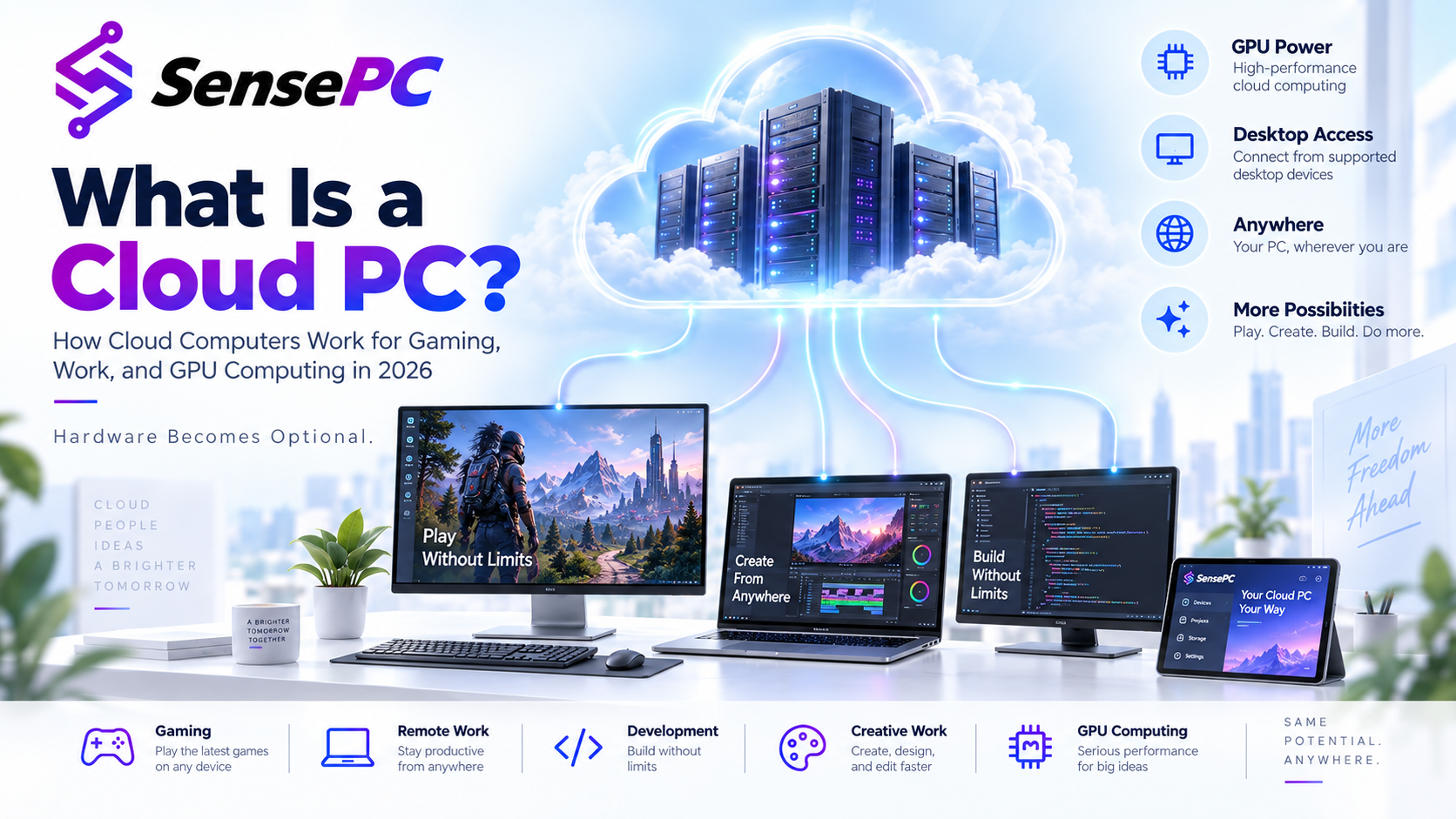
    A bright SensePC illustration showing a cloud data center connected to multiple devices for gaming, remote work, development, creative work, and GPU computing.

    In simple terms, a cloud PC separates the computer you use from the hardware you own.

    Instead of purchasing a powerful gaming PC, workstation, or desktop and keeping all of the computing hardware locally, you can provision computing resources in the cloud and stream the desktop to your local computer.

    That makes cloud PCs useful for gaming, remote work, software development, GPU workloads, creative applications, temporary high-performance computing, and people who simply do not want to continually upgrade physical hardware.

    At SensePC, we describe this idea with a simple principle:

    Hardware Becomes Optional.

    What exactly is a cloud PC?

    A cloud PC is a remotely hosted virtual computer that provides users with an interactive desktop environment over an internet connection.

    A typical cloud PC includes:

    CPU processing power, RAM, persistent SSD storage, an operating system, network connectivity, and optionally a dedicated or virtualized GPU.

    The actual computation happens inside the remote data center.

    Your local device primarily sends keyboard, mouse, and controller input to the remote computer while receiving an encoded video and audio stream representing what is happening on the cloud PC.

    This is why a relatively modest local computer can potentially interact with much more powerful hardware running elsewhere.

    The term overlaps with concepts such as virtual desktops, virtual workstations, VDI, desktop-as-a-service, remote desktops, and cloud gaming, but they are not always the same thing.

    How does a cloud PC work?

    When you create a cloud PC, a provider allocates computing resources in a data center.

    An operating system and storage are attached to those resources. The computer starts remotely, and specialized streaming or remote-display technology sends the desktop experience across the internet to you.

    When you move your mouse or press a key, that input is transmitted to the cloud PC. The remote computer processes the action, renders the updated screen, compresses it into a video stream, and sends it back to your device.

    This cycle happens continuously.

    For interactive workloads such as gaming, the entire process needs to occur extremely quickly. That is why network latency, data-center location, streaming technology, available bandwidth, and GPU performance all matter.

    For general productivity applications, slightly higher latency may barely be noticeable. For competitive gaming, however, even relatively small increases in latency can affect the experience.

    Cloud PC vs. traditional PC

    A traditional PC performs its computation locally. A cloud PC performs most computation remotely.

    FeatureTraditional PCCloud PC
    CPU and GPUInside your physical computerLocated in a remote data center
    Hardware purchaseUsually requiredUsually rented as a service
    Hardware upgradesPhysical replacementChange cloud configuration when supported
    AccessPrimarily from the physical machineRemote access through supported devices
    Upfront costCan be substantialUsually lower upfront cost
    Internet dependencyLimited for local applicationsInternet connection normally required
    Performance ceilingLimited by owned hardwareDepends on available cloud configuration
    PortabilityHardware must travel with youComputing environment remains in the cloud
    StorageLocal SSD/HDDCloud-attached storage
    MaintenanceUser maintains hardwareInfrastructure maintained by provider

    Neither approach is universally better.

    A traditional computer can provide extremely consistent performance without depending on internet connectivity. A cloud PC provides flexibility because the computing hardware no longer has to be physically located beside the user.

    For many people, the choice is increasingly becoming a hybrid one rather than an either-or decision.

    A lightweight laptop can handle everyday local work while a cloud PC handles workloads requiring considerably more CPU, memory, GPU power, or storage.

    Is a cloud PC the same as remote desktop?

    Not exactly.

    Remote desktop is primarily a method of remotely accessing another computer.

    A cloud PC describes the computer itself: a desktop computing environment hosted in cloud infrastructure.

    You can therefore use remote desktop technology to access a cloud PC, but a remote desktop connection does not automatically make the computer being accessed a cloud PC.

    For example, remotely connecting from your laptop to a Windows desktop sitting in your house is remote desktop access. Connecting to a virtual computer provisioned inside a cloud data center is a cloud PC experience.

    Is a cloud PC the same as VDI?

    Cloud PCs and virtual desktop infrastructure, or VDI, use many of the same virtualization concepts, but their operating models can differ.

    VDI commonly refers to infrastructure used by organizations to centrally create, manage, secure, and deliver virtual desktops to employees.

    Cloud PC services can package much of that infrastructure into a simpler user-facing service.

    The difference matters because an individual looking for one high-performance virtual computer has very different requirements from an enterprise IT department managing thousands of employee desktops.

    Is a cloud PC the same as cloud gaming?

    No.

    Cloud gaming usually gives the user access to a game rather than complete control of a computer.

    A cloud gaming service may launch a game from a managed catalog and stream that game to the user. The underlying operating system is largely hidden.

    A gaming-capable cloud PC gives the user a full remote computer.

    That distinction can allow the user to install applications, configure launchers, manage files, change supported settings, use productivity software, perform development work, and play games from the same machine.

    This makes a cloud PC closer to renting a computer than subscribing to a library of streamed games. For every option side by side, see 4 ways to play PC games in the cloud.

    What's the difference between a cloud PC, DaaS, a virtual workstation and a cloud VM?

    These terms get used interchangeably, but they describe different products and different amounts of work for you. (Remote desktop, VDI and cloud gaming are covered above.)

    TermWhat you getWho manages itHow it's billedBest for
    Cloud PCA complete personal desktop (OS, storage and apps) hosted in a data center and streamed to youProvider runs the infrastructure; you manage your apps and filesBy the hour, day or month; storage billed separatelyIndividuals and small teams who want a ready-to-use computer
    DaaS (Desktop-as-a-Service)Virtual desktops delivered to an organization's users as a managed serviceProvider runs the platform; your IT team manages users, images and policiesUsually per user, per month, often with seat minimumsCompanies standardizing desktops across many employees
    Virtual workstationA cloud PC sized for professional work, with a dedicated GPU and more CPU and RAMProvider runs it; you run demanding apps like CAD, rendering or AI toolsHigher rates, driven mainly by the GPU3D, CAD, video production and AI development
    Cloud VM (e.g., an EC2 instance)Raw compute you configure yourself: OS, drivers, security and remote accessYou manage almost everything above the hardwareMetered compute, plus separate charges for disks, data transfer and IPsEngineers building infrastructure or pipelines, not a desktop

    DaaS describes how desktops are sold; a cloud PC is the thing you actually use, so many cloud PCs are sold as DaaS. SensePC is a cloud PC with workstation-class options: NVIDIA L4 GPUs and up to 16 vCPU and 64 GB of RAM, with no infrastructure to configure.

    For a head-to-head comparison, see Cloud PC vs Virtual Desktop.

    Can a cloud PC have a GPU?

    Yes.

    Cloud PCs can be configured with GPUs for workloads that benefit from hardware-accelerated graphics or parallel computing.

    GPU cloud PCs can be useful for gaming, 3D applications, video production, rendering, virtual workstations, AI experimentation, visualization, and other graphics-intensive applications.

    For example, SensePC's Xtreme cloud PCs currently use NVIDIA L4 GPU infrastructure. NVIDIA's L4 is based on the Ada Lovelace architecture and is designed for workloads including virtual workstations, graphics, video, AI, and cloud-based applications.

    A GPU alone, however, does not determine the quality of a cloud PC.

    The CPU, available memory, storage performance, network conditions, streaming protocol, data-center distance, software configuration, and application itself can all affect the final experience.

    What can you use a cloud PC for?

    A cloud PC can perform many of the same tasks as a physical computer as long as the required software, operating system, hardware capabilities, licensing, and provider policies support the workload.

    For gaming, a GPU-equipped cloud PC can run compatible PC games remotely while streaming the rendered experience to the player.

    For work, a cloud computer can create a consistent desktop environment that remains available independently of a particular physical workstation.

    Developers can use cloud PCs for programming environments, builds, testing, development tools, containers, and workloads that require more resources than their local machine provides.

    Creative professionals may use GPU-enabled systems for graphics, editing, rendering, and visualization.

    Businesses can use cloud desktops to provide computing environments without shipping a high-performance workstation to every employee.

    A cloud PC can also be useful for temporary workloads. Someone who needs substantial computing power for a short project may prefer obtaining that capacity when needed instead of buying hardware that may later sit unused.

    Can you game on a cloud PC?

    Yes. A cloud PC with a dedicated GPU runs PC games like a local gaming machine, and you install Steam, Epic or any other launcher yourself. Gaming is also the most demanding thing you can do on one, because every input makes a round trip to the data center. That makes the region you choose far more important than it is for office work. For ping targets and fixes, see Low Latency Cloud Gaming, Explained. To compare catalog streaming, full cloud PCs and other options, see 4 ways to play PC games in the cloud.

    Do you need fast internet for a cloud PC?

    You need a stable connection more than you need an impressive advertised maximum speed.

    Streaming a cloud desktop requires continuous data transfer.

    Resolution, frame rate, visual complexity, compression technology, and image-quality settings influence how much bandwidth is required.

    A fast connection with significant packet loss, jitter, or unstable Wi-Fi can feel worse than a slower but consistently stable connection.

    Latency is also different from bandwidth.

    Bandwidth describes how much data your connection can transfer. Latency describes how long data takes to travel between you and the remote computer.

    A 1 Gbps connection does not automatically guarantee low latency.

    For the best experience, users should consider both connection quality and geographic proximity to the cloud region. Gaming is stricter; see the latency guide for targets.

    Does a cloud PC require an expensive local computer?

    Usually not.

    One of the fundamental advantages of cloud computing is that demanding processing happens on the remote machine.

    Your local computer still needs enough capability to run the browser or client, decode the video stream, process input, and maintain a reliable network connection. But it does not necessarily need hardware equivalent to the cloud PC.

    This can change the hardware lifecycle.

    Instead of replacing a laptop because its GPU can no longer handle a particular workload, the user may be able to keep the laptop and move the demanding workload to a GPU cloud PC.

    The local device becomes an access point to computing power rather than the sole source of that computing power.

    Does a cloud PC keep your files when it is turned off?

    That depends on the provider and storage design.

    Cloud compute and cloud storage are separate concepts.

    Stopping a cloud PC can stop the CPU and GPU resources while persistent storage remains attached. That allows applications and files to remain available when the computer starts again.

    Persistent storage may continue generating charges while the compute portion of the PC is stopped because the storage still exists.

    Users should always check a provider's storage and billing policy rather than assuming that turning a cloud PC off eliminates every charge.

    SensePC, for example, separates active PC usage from persistent SSD storage. Storage remains associated with the PC while it exists, including when compute is stopped.

    What operating systems can cloud PCs run?

    The answer varies by platform.

    Cloud infrastructure can technically support many operating systems, but the available choices depend on provider images, licensing rules, GPU drivers, streaming compatibility, and product configuration.

    SensePC currently supports Ubuntu 24.04 LTS and Windows configurations under a Bring Your Own License, or BYOL, model.

    Windows or Linux? SensePC also runs as a Linux cloud desktop: Ubuntu 24.04 LTS with a full graphical desktop, not just a terminal. Pick the operating system for your heaviest regular workload:

    • Windows 11: games and launchers, Visual Studio, and Windows-only creative or business software.
    • Ubuntu 24.04 LTS: Python, containers, backend development and Linux-first AI tooling.
    • Mixed workloads: choose for the heaviest one you run regularly.

    That distinction is important: a cloud PC provider supplying computing infrastructure does not necessarily mean that a commercial operating-system license is included.

    Customers should verify licensing requirements before choosing any cloud PC service.

    What does BYOL mean for a Windows cloud PC?

    BYOL means Bring Your Own License.

    Under a Windows BYOL model, the cloud PC platform provides the computing infrastructure, while the customer is responsible for having appropriate Windows licensing rights for their intended use.

    The cloud PC itself and the Windows license should therefore not be treated as the same product.

    This distinction is particularly important when comparing cloud PC providers because pricing can appear similar even when licensing models differ.

    What is a GPU cloud PC?

    A GPU cloud PC is a cloud-hosted desktop with access to a graphics processing unit.

    A CPU is optimized for general-purpose processing. A GPU contains large numbers of processing resources designed for workloads that can benefit from massive parallelism and specialized graphics computation.

    This makes GPU cloud PCs useful when ordinary CPU-based virtual desktops are insufficient.

    Gaming is an obvious example, but GPU cloud computing also applies to 3D modeling, rendering, video encoding, visualization, virtual production, engineering applications, AI workloads, and graphics-heavy professional software.

    Why use a cloud PC instead of buying a gaming PC or workstation?

    The main reason is flexibility.

    Physical hardware involves a capital purchase. Once purchased, its CPU, GPU, memory capacity, and physical location are largely fixed until components are upgraded or replaced.

    Cloud infrastructure turns computing into an on-demand resource.

    That can make sense when someone wants access to powerful hardware without committing to owning it, needs computing power temporarily, travels frequently, wants access to the same environment from multiple devices, or needs the ability to change configurations over time.

    The tradeoff is that cloud PCs depend on infrastructure availability and network connectivity. Long-term heavy usage can also make buying physical hardware more economical for some users.

    A good cloud PC platform should therefore make pricing, usage limits, storage costs, hardware specifications, regions, and licensing policies understandable before the customer creates a machine.

    How much does a cloud PC cost?

    A cloud PC's cost has two parts: compute, billed while the PC runs, and storage, billed for as long as the PC exists. Your monthly bill therefore depends far more on how many hours you use it than on the headline hourly rate.

    Cost componentHow SensePC bills itWhat drives it
    Compute (CPU, RAM, GPU)Hourly while it runs; Daily and Monthly plans include up to 10 hours/day or 180 hours/monthTier size, GPU and hours used
    Attached SSDOn Hourly: $0.03/hr (220 GB), $0.06/hr (500 GB), $0.13/hr (1 TB). This keeps billing while the PC is stoppedDisk size and how long the PC exists
    Sense Cloud storage (optional)Monthly, based on the highest storage tier reachedHow much you keep in cloud storage
    Windows licenseBring your own license (see BYOL above)Your existing licensing rights

    Worked example: keeping a 220 GB SSD attached for a full month costs about $22 (730 hours × $0.03), whether or not the PC runs. Add compute: [your tier's hourly rate] × the hours you actually use it. At 40 hours a month, that's 40 × [$X.XX] + $22.

    To keep the bill down:

    • Stop the PC when you're done. Compute billing stops; storage continues.
    • Set an idle timeout or auto-stop schedule so a forgotten session doesn't keep running up charges.
    • Start with the smallest tier that fits. On Hourly you can resize CPU and memory later.
    • Delete PCs you no longer need, after moving files to Sense Cloud. Deleting stops both compute and SSD charges.

    Choosing between Hourly, Daily and Monthly? See Hourly Cloud PC vs Monthly Plan. Current rates for every tier and region are on the pricing page.

    Are cloud PCs only for businesses?

    No.

    Desktop virtualization historically became closely associated with corporate IT and VDI, but modern cloud infrastructure makes personal cloud computers possible as well.

    The needs are different.

    Businesses may care heavily about centralized administration, access controls, team management, security policies, predictable deployment, and organization-level billing.

    Individual users may prioritize gaming performance, GPU access, hourly pricing, ease of setup, application flexibility, or avoiding the cost of buying expensive hardware.

    SensePC supports both personal cloud PC use cases and business environments, with different workflows designed around each audience.

    What is SensePC?

    SensePC is a cloud PC platform that lets users create and access remote computers backed by cloud infrastructure.

    Instead of requiring users to purchase all of their computing hardware upfront, SensePC allows compatible cloud PCs to be created with selected CPU, memory, storage, GPU, operating-system, and regional configurations.

    SensePC is designed around the idea that computing should be accessible as infrastructure rather than tied permanently to one physical device.

    Depending on the selected configuration and plan, users can create a cloud computer, start it when needed, connect remotely, stop it, manage storage, schedule usage, and manage the PC through the SensePC dashboard.

    GPU-powered SensePC Xtreme systems are designed for performance-intensive workloads such as gaming and graphics applications.

    SensePC also supports business cloud PC use cases for organizations that need centrally managed cloud computing environments.

    How does SensePC streaming work?

    SensePC uses remote display technology to transmit a cloud PC's graphical output to the user and send user input back to the remote computer.

    Browser access provides a convenient way to connect without requiring the full computer to exist locally.

    For workloads where performance and responsiveness are more important, SensePC also provides a native performance-oriented connection option.

    The goal is not to download the cloud PC to the local computer. The actual applications continue running remotely.

    The local machine is displaying and controlling that remote computing session.

    Can I access SensePC from a phone or tablet?

    SensePC's management dashboard can support account and management activities from mobile devices, but launching and streaming a SensePC cloud computer is currently intended for supported desktop environments rather than phones or tablets.

    This is an important difference between managing a cloud PC and actually using the cloud desktop.

    Capabilities can change as products evolve, so users should check the current SensePC compatibility information when choosing a device.

    Is cloud computing going to replace physical PCs?

    Probably not completely.

    Physical computers have major advantages. They operate without a constant internet connection, provide direct hardware access, can deliver extremely low input latency, and may be more economical for users who continuously need the same high-performance hardware.

    Cloud PCs solve a different problem.

    They make computing resources independent from the physical machine in front of the user.

    The likely future is therefore not simply "cloud PCs replace PCs."

    A more useful way to think about it is that computing is becoming location-independent.

    Some processing will happen locally. Some will happen in the cloud. Applications and operating environments can increasingly move between those two worlds depending on cost, performance, security, mobility, and user requirements.

    What should you look for when choosing a cloud PC?

    The most important question is not simply which provider advertises the most powerful GPU.

    Evaluate where the provider has infrastructure relative to you, which CPU and GPU resources are actually allocated, how much RAM is provided, how persistent storage works, what operating systems and licensing models are supported, which remote display technology is used, whether usage limits apply, what happens when the computer is stopped, and whether you can easily manage the machine.

    Pricing should also be evaluated based on your actual usage pattern.

    Someone who needs a computer for a few hours occasionally has very different economics from someone running a workstation eight hours every day.

    There is no universally best cloud PC configuration.

    The best configuration is the one that gives a specific user the necessary performance, geographic proximity, storage, software compatibility, and pricing model for their workload.

    The future of the personal computer may not be a physical computer

    For decades, choosing a computer meant deciding which processor, memory, graphics card, and storage you wanted to purchase and keep for several years.

    Cloud infrastructure changes that model.

    CPU power can become a service. GPU performance can become a service. Storage can become a service. Even the desktop itself can become a service that is available when and where it is needed.

    Physical hardware is not disappearing.

    But owning powerful hardware is increasingly becoming only one way to access powerful computing.

    That is the larger idea behind SensePC.

    The computer still exists. It just does not necessarily need to be sitting on your desk.

    Hardware Becomes Optional.

    Frequently Asked Questions

    Share this article:

    Related Articles

    Apex Legends Gameplay

    Apex Legends Gameplay: Better Fights, Smarter Wins

    A practical Apex Legends gameplay guide focused on what actually decides fights — cover, rotation timing, and pushing with a clear trigger — plus an honest look at whether a cloud PC is a viable way to play.

    Cloud GamingOct 10, 2026
    Stable Diffusion GPU

    How to Choose the Right Stable Diffusion GPU

    VRAM, not raw GPU speed, is the deciding spec for Stable Diffusion. VRAM requirements by model (SD 1.5, SDXL, Flux), which NVIDIA driver track to use, how to check your own system against the requirements, and when a cloud GPU workstation makes more sense than buying hardware.

    Cloud GamingOct 4, 2026
    NVIDIA L4 Review

    NVIDIA L4 Review: Worth It for a Cloud PC?

    An honest NVIDIA L4 review for cloud PC buyers — what the 24GB Ada Lovelace GPU is actually built for (AI inference, CUDA development, video processing, virtual workstations), how it compares to the T4, RTX A400, and Quadro P4000, and when it's not the right fit (large-model training, flagship competitive gaming).

    Cloud GamingOct 10, 2026

    Share Your Insights with the SensePC Community

    Are you passionate about cloud computing, gaming VMs, or high-performance developer setups? Contribute a guest post to the SensePC blog. Start with your title, summary, and article body; media, SEO details, and FAQs can be added when they are useful.

    Custom Build Your SensePC

    Configure vCPUs, RAM, SSD, and high-performance NVIDIA GPUs. Spin up your dedicated virtual workstation in seconds.

    Start Building

    Simple, Transparent Pricing

    No hidden fees. Pay-as-you-go hourly instances or flat monthly subscription packages. Scale resources up or down anytime.

    View Packages