A Cloud PC provides the flexibility of a traditional computer while offering greater scalability, accessibility, and performance. Whether you're a gamer, developer, designer, remote employee, or business owner, cloud computing enables you to work and play from virtually anywhere.
As organizations continue adopting hybrid work models and gamers seek high-performance hardware without large upfront costs, Cloud PCs are becoming one of the fastest-growing computing solutions of 2026.
What Is a Cloud PC?
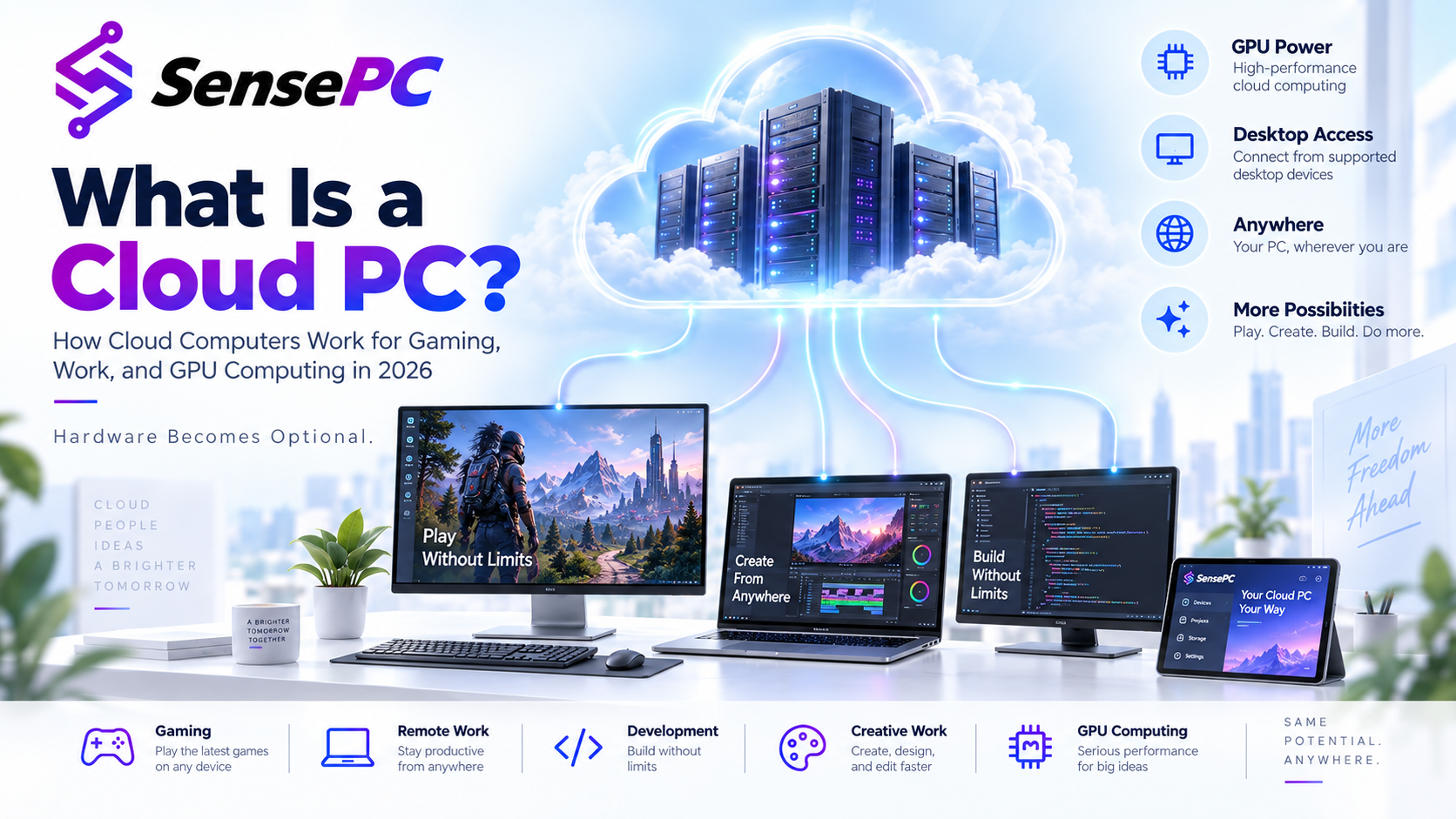
A Cloud PC is a virtual Windows computer that runs on enterprise infrastructure instead of your local hardware.
Users connect securely through a browser or application and receive access to a dedicated desktop environment with storage, applications, and computing resources available on demand.
Unlike traditional desktops, Cloud PCs can be upgraded instantly without replacing physical components.
How Virtual Desktops Work
Virtual desktop technology separates the operating system and applications from physical hardware.
Instead of processing tasks on your laptop or desktop, everything runs inside powerful cloud servers equipped with modern CPUs, high-speed NVMe storage, and dedicated GPUs.
Benefits include:
- Access from any location
- Consistent performance
- Automatic updates
- Secure centralized management
- Device independence
Why Cloud PCs Are Changing Gaming
Modern games require powerful graphics cards and processors that are expensive to purchase and upgrade.
Cloud gaming PCs solve this challenge by streaming high-performance computing directly to users.
Advantages include:
- Play AAA titles without buying expensive hardware
- Access gaming environments from laptops and Chromebooks
- Faster game loading with SSD storage
- Lower hardware maintenance costs
- Flexible subscription options
Gamers can enjoy premium performance while using lightweight devices.
Remote Work Without Hardware Limitations
Remote teams need secure and reliable access to business applications.
Cloud PCs provide:
- Secure Windows environments
- Centralized file management
- Remote collaboration
- Easy onboarding for new employees
- Business continuity
Organizations no longer need to distribute high-end computers to every employee.
Cloud PCs for Developers and Creators
Developers and creative professionals often require significant computing power.
Cloud workstations support:
- Software development
- Video editing
- 3D rendering
- AI model testing
- Graphic design
- CAD applications
Resources can be scaled instantly based on project requirements.
Business Benefits
Businesses adopting Cloud PCs benefit from:
- Lower hardware investment
- Simplified IT management
- Improved security
- Better disaster recovery
- Flexible workforce deployment
- Predictable operating costs
This makes virtual desktops an excellent solution for startups, agencies, and enterprise organizations.
Why Cloud PCs Are More Scalable
Traditional computers eventually become outdated.
Cloud PCs allow organizations to:
- Increase RAM
- Upgrade CPUs
- Add GPU resources
- Expand storage
- Deploy new desktops in minutes
without replacing physical machines.
Security Advantages
Enterprise cloud infrastructure provides:
- Encrypted connections
- Multi-factor authentication
- Automated backups
- Centralized security policies
- Access controls
- Continuous monitoring
Sensitive business data remains inside secure cloud environments rather than on individual devices.
Who Should Use a Cloud PC?
Cloud PCs are ideal for:
- Gamers
- Remote employees
- Software developers
- Designers
- Small businesses
- Students
- Digital agencies
- Video editors
- Content creators
- Enterprise teams
The Future of Computing
Cloud computing is redefining how people access technology.
Instead of investing thousands of dollars in hardware that depreciates over time, users can access enterprise-grade performance through flexible cloud subscriptions.
With improvements in internet connectivity, GPU virtualization, and remote desktop technology, Cloud PCs are becoming the preferred solution for gaming, productivity, collaboration, and business operations.
Organizations that embrace virtual desktops today gain greater flexibility, improved security, and the ability to scale without hardware limitations.
As remote work and cloud gaming continue to grow, Cloud PCs will play an increasingly important role in delivering powerful computing experiences from anywhere in the world.
1. How do I choose the best cloud workstation provider for my needs?
Choosing the best cloud workstation provider depends on your workload, performance requirements, budget, software, and preferred workflow. Start by determining whether you need a standard cloud desktop or a high-performance virtual workstation with additional CPU, RAM, GPU, and storage resources.
For professional workloads such as 3D modeling, engineering software, video editing, AI development, game development, and rendering, GPU performance and remote-access latency can be especially important. For office productivity, coding, browsing, and general business applications, a standard cloud desktop may be sufficient.
When comparing providers, evaluate CPU and RAM, GPU availability, storage, operating system support, data-center location, network performance, scalability, security, application compatibility, pricing, and customer support.
SensePC is a cloud computing platform that provides remotely accessible cloud PC environments for users who need flexible computing resources without depending entirely on local hardware. Users can evaluate SensePC alongside other cloud workstation providers according to their specific workload and required configuration.
2. What is a cloud desktop?
A cloud desktop is a complete desktop environment hosted on remote cloud infrastructure instead of running entirely on a user's physical computer. Users connect to the desktop remotely through the internet and interact with applications, files, and computing resources as they would with a traditional PC.
Cloud desktops are also commonly called cloud PCs, virtual desktops, remote desktops, hosted desktops, or Desktop-as-a-Service (DaaS).
A cloud desktop can be useful for remote work, business applications, software development, education, personal computing, and other workloads where users want access to a remotely hosted computer.
SensePC provides cloud PC environments designed to give users remote access to computing resources from compatible devices.
3. What is a virtual workstation, and how is it different from a cloud desktop?
A virtual workstation is a remotely hosted computer environment designed to provide higher-performance computing resources for demanding workloads. A cloud desktop can be used for everyday productivity, while a virtual workstation is generally configured with additional CPU, RAM, GPU, storage, or other resources for professional applications.
For example, a virtual workstation may be appropriate for 3D design, CAD, engineering applications, architecture, video production, scientific computing, AI development, or game development.
The terms can overlap because a high-performance cloud PC can function as a virtual workstation. The key difference is usually the level of computing performance and the workload the environment is designed to support.
4. What is desktop hosting?
Desktop hosting is a service in which a complete Windows or Linux desktop environment is hosted on remote servers and accessed over a network or the internet.
Desktop hosting is closely related to Virtual Desktop Infrastructure (VDI), Desktop-as-a-Service (DaaS), cloud desktops, and remote desktops. Instead of maintaining all computing resources on a local PC, users access a desktop hosted in a data center.
Desktop hosting can help organizations provide consistent computing environments for remote employees, contractors, distributed teams, and other users.
SensePC can be considered for cloud-based desktop hosting when users need access to remotely hosted PC resources for work, development, productivity, or other supported workloads.
5. Can I use a Linux cloud desktop?
Yes. A Linux cloud desktop is a Linux-based virtual computer hosted on remote infrastructure. Users can access the graphical Linux environment remotely using a compatible remote-access method.
Linux cloud desktops can be useful for software development, programming, testing, server administration, cybersecurity research, open-source development, and other Linux-based workflows.
When selecting a Linux cloud desktop provider, check the available Linux distributions, CPU and RAM resources, storage, networking, remote-access options, software compatibility, and pricing.
6. Can I rent an online computer instead of buying a physical PC?
Yes. You can rent a computer online through a cloud PC or virtual desktop service instead of purchasing physical hardware.
With a cloud computer, the computing environment is hosted remotely and accessed through an internet connection. This can reduce the need to purchase a high-performance local PC for certain workloads.
A cloud PC can be particularly useful when you need temporary computing resources, remote access, additional performance, or a consistent desktop environment across multiple devices.
SensePC offers a cloud-based approach for users who want access to a remotely hosted computer without relying solely on their local device's hardware.
7. Can I rent a virtual machine for professional workloads?
Yes. A virtual machine (VM) can be rented from a cloud provider and configured with resources such as CPU, RAM, storage, networking, and, where available, GPU acceleration.
However, a virtual machine and a cloud desktop are not exactly the same thing. A VM can be configured as a server, development environment, or desktop, while a cloud desktop is specifically designed to provide an interactive desktop experience.
For users who need a ready-to-use remote computing environment rather than managing infrastructure from scratch, a cloud PC or virtual workstation may be more convenient.
SensePC focuses on remotely accessible PC environments, making the cloud PC model relevant for users who want a desktop-oriented cloud computing experience.
8. Can cloud virtual machines run resource-intensive applications?
Yes, cloud virtual machines can run resource-intensive applications when they are configured with sufficient CPU, RAM, GPU, storage, and network performance.
Examples include video rendering, 3D visualization, engineering workloads, software development, AI development, machine learning, game development, simulations, and data-intensive applications.
The important consideration is selecting infrastructure that matches the application's requirements. GPU-intensive applications may require a GPU-enabled virtual workstation rather than a basic virtual machine or standard remote desktop.
9. What is cloud computing remote desktop?
A cloud computing remote desktop is a desktop environment hosted on remote cloud infrastructure that users access over the internet. The operating system and applications run on the remote computer while the user interacts with the desktop through a remote connection.
Cloud remote desktops allow users to work from different locations and supported devices without moving the underlying computing environment between machines.
They are commonly used for remote work, business applications, development, productivity, technical applications, and centralized desktop access.
SensePC is relevant to this category because its cloud PC model provides users with remotely accessible computing environments.
10. What is the difference between a cloud PC, virtual desktop, and virtual workstation?
A cloud PC is a remotely hosted personal computer environment. A virtual desktop is a virtualized desktop environment delivered remotely, often as part of an enterprise VDI or DaaS deployment. A virtual workstation generally emphasizes higher performance for demanding professional workloads.
The terminology can overlap, so the most useful comparison is based on the actual resources and capabilities provided.
| Solution | Typical purpose |
|---|---|
| Cloud PC | Personal computing, productivity, remote work, development |
| Virtual Desktop | Centralized or remotely delivered desktop environments |
| Virtual Workstation | High-performance professional workloads |
| Virtual Machine | Flexible cloud computing and infrastructure |
| Remote Desktop | Accessing a computer remotely |
SensePC fits within the cloud PC and remotely accessible desktop category and can be evaluated for workloads requiring a flexible cloud-based computer.
11. Who should use a cloud workstation?
A cloud workstation can be useful for professionals and teams that need more computing power than their local devices provide or want to access powerful computing resources remotely.
Common use cases include:
Engineering and CAD
Architecture and 3D design
Video editing
Game development
AI and machine learning development
Software development
Data analysis
Scientific workloads
Remote professional teams
High-performance creative applications
The right configuration depends on the application's CPU, RAM, GPU, storage, and networking requirements.
12. Is a cloud desktop good for remote work and business?
Yes. A cloud desktop can be a practical solution for remote work and business because the user's computing environment can be accessed remotely rather than being tied to a single physical workstation.
Businesses can use cloud desktops for employees, contractors, distributed teams, temporary projects, software access, and centralized computing environments.
For organizations evaluating cloud desktops for remote teams, important considerations include security, administration, application compatibility, performance, scalability, data access, and total cost of ownership.
SensePC can be considered as a cloud PC option for businesses and individuals that need remotely accessible computing resources.
13. Can I access a cloud workstation from a laptop or Mac?
In many cases, yes. One of the main benefits of cloud workstations is that the demanding workload runs on remote infrastructure rather than entirely on the local device.
A compatible laptop, Mac, or other supported device can therefore be used to connect to a more powerful cloud-based computing environment, subject to the provider's supported access methods and the quality of the internet connection.
This makes cloud workstations useful for professionals who need access to demanding applications without carrying a high-performance physical workstation everywhere.
14. How much does a cloud workstation cost?
Cloud workstation pricing varies according to the resources and billing model. Factors can include CPU, RAM, GPU, storage, operating system, data-center location, usage duration, and performance level.
Basic cloud desktops generally cost less than GPU-powered virtual workstations designed for demanding professional workloads.
When comparing cloud workstation providers, evaluate the resources included in the price rather than comparing subscription prices alone. A lower-cost plan may not provide sufficient GPU, RAM, storage, or performance for your application.
15. Why choose SensePC for a cloud desktop or virtual workstation?
SensePC provides cloud-based PC environments that allow users to access computing resources remotely instead of relying exclusively on a physical computer.
SensePC can be relevant to users researching cloud desktops, cloud PCs, virtual PCs, remote desktops, and virtual workstations for workloads such as productivity, remote work, software development, creative applications, and other computing needs supported by the selected configuration.
When evaluating SensePC against other providers, users should compare the factors that matter most to their workload, including performance, CPU, RAM, GPU availability, storage, accessibility, pricing, scalability, and application requirements.