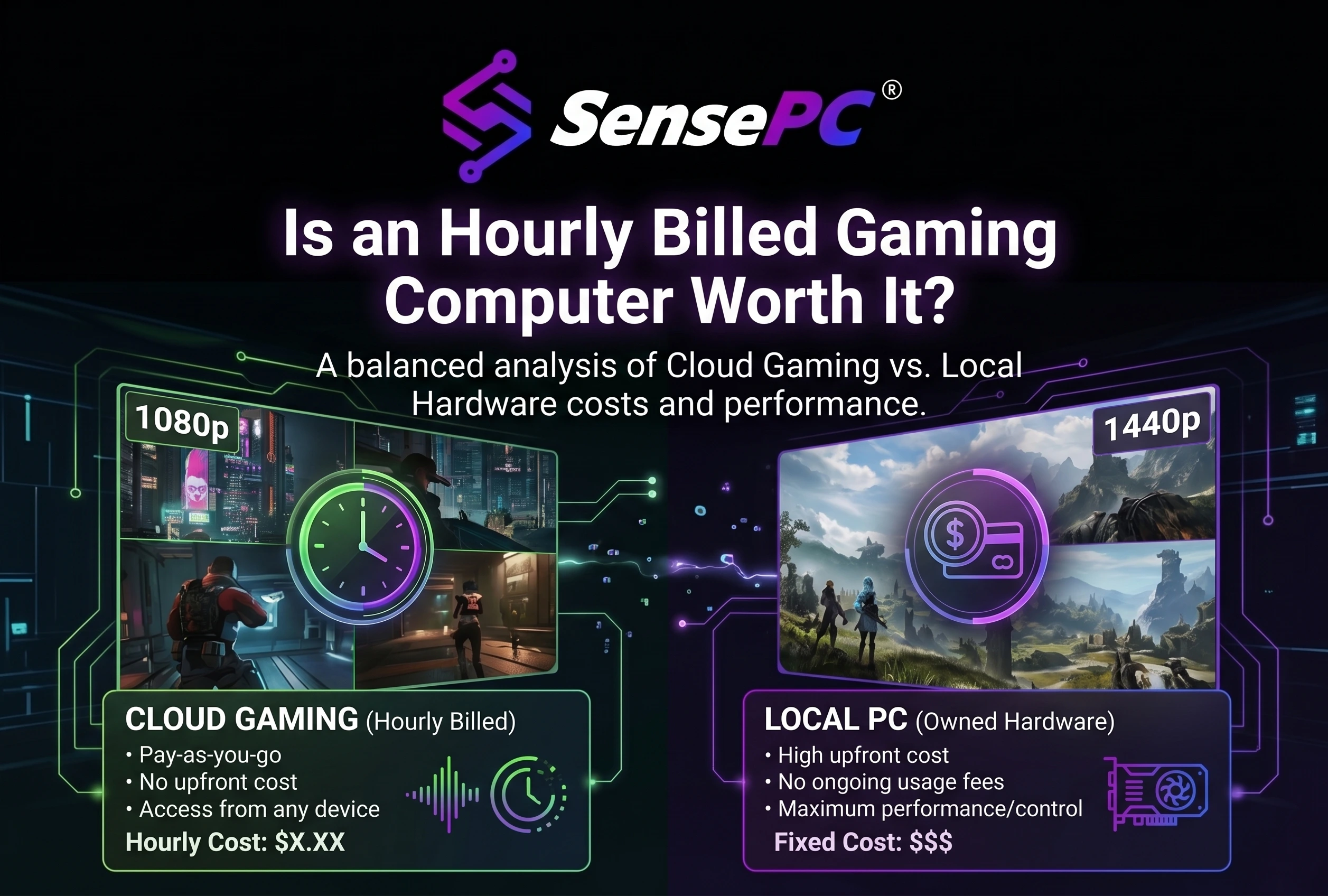
Short answer: An hourly billed gaming PC is worth it when you play in bursts, for a few months at a time, or from a Mac or laptop you'd rather not replace. It's hardest to justify for steady play over several years: on SensePC's Hourly plan, a 500 GB SSD costs about $44 a month even while the PC is off. Steady players should compare Monthly or buying.
Most "cloud gaming vs buying a PC" comparisons divide the price of a gaming PC by an hourly rate and stop there. That skips the cost that usually decides the answer: storage you pay for while the PC is off. This guide covers that cost, gives you the break-even formula, and shows when each option wins. Choosing between plans is covered separately in Hourly vs Daily vs Monthly cloud PC plans.
What an hour of gaming really costs
| Cost | Hourly cloud gaming PC | Gaming PC you own |
|---|---|---|
| Upfront | A wallet top-up (minimum $10) | The full price of the PC |
| Each hour you play | Your tier's compute rate | Electricity, a few cents |
| While you're not playing | SSD storage, around the clock | Nothing; it's off |
| Upgrades | Move to a bigger tier when available | Buy new parts |
| When you're done | Delete the PC and charges stop | Resell it to recover part of the price |
| Maintenance | Handled for you | Drivers, cooling, repairs |
The hardware isn't identical either. SensePC's Xtreme tiers use an NVIDIA L4, a data-center GPU rather than a consumer GeForce RTX card, so game performance varies by title and settings.
The storage cost most comparisons miss
On the Hourly plan, stopping your PC ends compute charges, but its SSD stays allocated with your games, saves and settings, and keeps billing. Xtreme gaming tiers start with a 500 GB SSD, so you pay a fixed amount each month before you play a minute:
| SSD size | Rate on Hourly | Per month (730 hours) |
|---|---|---|
| 500 GB (Xtreme minimum) | $0.06/hour | $43.80 |
| 1 TB | $0.13/hour | $94.90 |
That storage is what keeps your installs ready to play. It also means an hourly gaming PC never costs just "hours × rate." Current rates are on the pricing page.
What you'd pay per month on Hourly
Monthly cost = hours played × your tier's compute rate + $43.80 for the 500 GB SSD. Find your tier's rate in the live pricing calculator, then read across:
| Hours played per month | $1.00/hour | $1.50/hour | $2.00/hour | $2.50/hour |
|---|---|---|---|---|
| 10 | $54 | $59 | $64 | $69 |
| 20 | $64 | $74 | $84 | $94 |
| 40 | $84 | $104 | $124 | $144 |
| 60 | $104 | $134 | $164 | $194 |
The column rates are examples, not SensePC prices. The totals assume the PC exists all month with a 500 GB SSD.
What owning a gaming PC really costs per month
A PC you own costs its purchase price minus what you get back when you sell it, spread over the months you keep it, plus electricity:
Owning cost per month = (price − resale value) ÷ months kept + electricity
Electricity is small. Power draw in watts ÷ 1,000 × your price per kWh gives the cost per hour. A 500 W gaming PC at $0.17/kWh costs about $0.09 an hour, under $6 a month even at 60 hours.
The purchase price is what matters, and it depends on how long you keep the PC. For a $1,500 gaming PC (resale values are assumptions):
| Kept for | Assumed resale value | Hardware cost per month |
|---|---|---|
| 6 months | 70% ($1,050) | $75 |
| 12 months | 60% ($900) | $50 |
| 24 months | 45% ($675) | $34 |
| 36 months | 30% ($450) | $29 |
| 36 months, never sold | none | $42 |
The longer you keep a PC, the cheaper each month gets. That's the whole case for buying.
The break-even formula
Break-even hours per month = (owning cost per month − storage cost per month) ÷ (compute rate − electricity per hour)
Play fewer hours than that and hourly is cheaper; play more and owning is.
Worked example: keeping a $1,500 PC for 6 months costs about $75 a month. On Hourly with a 500 GB SSD, at an example rate of $1.50 an hour: (75 − 43.80) ÷ (1.50 − 0.09) ≈ 22 hours a month. If you play less than about 22 hours a month over those six months, hourly wins.
The rule that decides most cases: if the $43.80 storage cost is higher than your PC's monthly hardware cost, the result is negative, and hourly can't win at any number of hours. For a $1,500 PC kept two to three years ($29–$34 a month), that's the case. Owning is cheaper for steady long-term play unless you delete the cloud PC between breaks.
When paying by the hour is worth it
- You play in bursts. A few intense weeks, then nothing for a month. Delete the PC between bursts and the storage cost disappears.
- Your horizon is short. Months, not years: a new release you want to play now, a semester, a trip.
- You're on a Mac or a work laptop. Buying a gaming PC means buying a second computer to house, power and maintain.
- You want to test before you buy. Find out how a game runs, and which tier it needs, before spending on hardware.
- You'd rather skip an upgrade. If your PC needs a new GPU for one or two games, an hourly PC can cover them.
When buying, or a Monthly plan, is the better deal
- You play steadily for years. A $1,500 PC kept two to three years costs about $29–$34 a month plus electricity, less than the storage cost alone.
- You play competitive games. Local hardware has no network round trip; see latency targets for cloud gaming.
- Your main game's anti-cheat blocks virtual machines.
- You play a lot but want to stay in the cloud. Compare the Monthly plan in Hourly vs Daily vs Monthly plans.
How to spend less on an hourly gaming PC
- Stop the PC when you finish. Compute charges end; only storage continues.
- Set an idle timeout. A forgotten session stops itself instead of running all night.
- Delete the PC between long breaks. Installed games go with it, but many games keep saves in Steam Cloud or their launcher's cloud storage. Move other files to Sense Cloud first; it's billed separately. Steam and Epic Games Launcher come preinstalled on Xtreme, and a new PC is typically ready in 3–5 minutes, so reinstalling starts with signing in. Don't leave a PC unused or unpaid indefinitely: under platform rules it can be deleted permanently, data included.
- Don't oversize storage. 1 TB costs more than twice as much per hour as 500 GB.
- Match the tier to the game. Start with the smallest Xtreme tier that runs your games well.
Is cloud gaming cheaper than buying a gaming PC?
Sometimes. Hourly cloud gaming is cheaper for short horizons and bursty play, especially if you delete the PC between breaks. For steady play over two or more years, owning usually costs less, because a cloud PC's storage bills around the clock while a PC you own costs almost nothing when it's off. SensePC's own guidance says the same: it isn't always the cheaper option, and frequent players should compare it with the full cost of owning, powering and upgrading a PC.
How much does it cost to run a gaming PC per hour?
Multiply its power draw by your electricity price: watts ÷ 1,000 × price per kWh. A 500 W gaming PC at $0.17/kWh costs about $0.09 an hour. Electricity is a small part of owning; the purchase price is the big one.
Do I pay for a cloud gaming PC when it's turned off?
On SensePC's Hourly plan, yes, for storage. Compute charges stop, but the SSD holding your games keeps billing: about $44 a month for the 500 GB SSD on Xtreme tiers. Daily and Monthly plans follow their own billing cycles.
Will I lose my games if I delete my cloud PC?
You lose the installs, not your library. You re-download games from Steam or Epic on the new PC, and many games restore saves from the launcher's cloud storage. Move any other files to Sense Cloud before deleting.
Related: Hourly vs Daily vs Monthly plans · 4 ways to play PC games in the cloud · SensePC cloud gaming PC · Live pricing