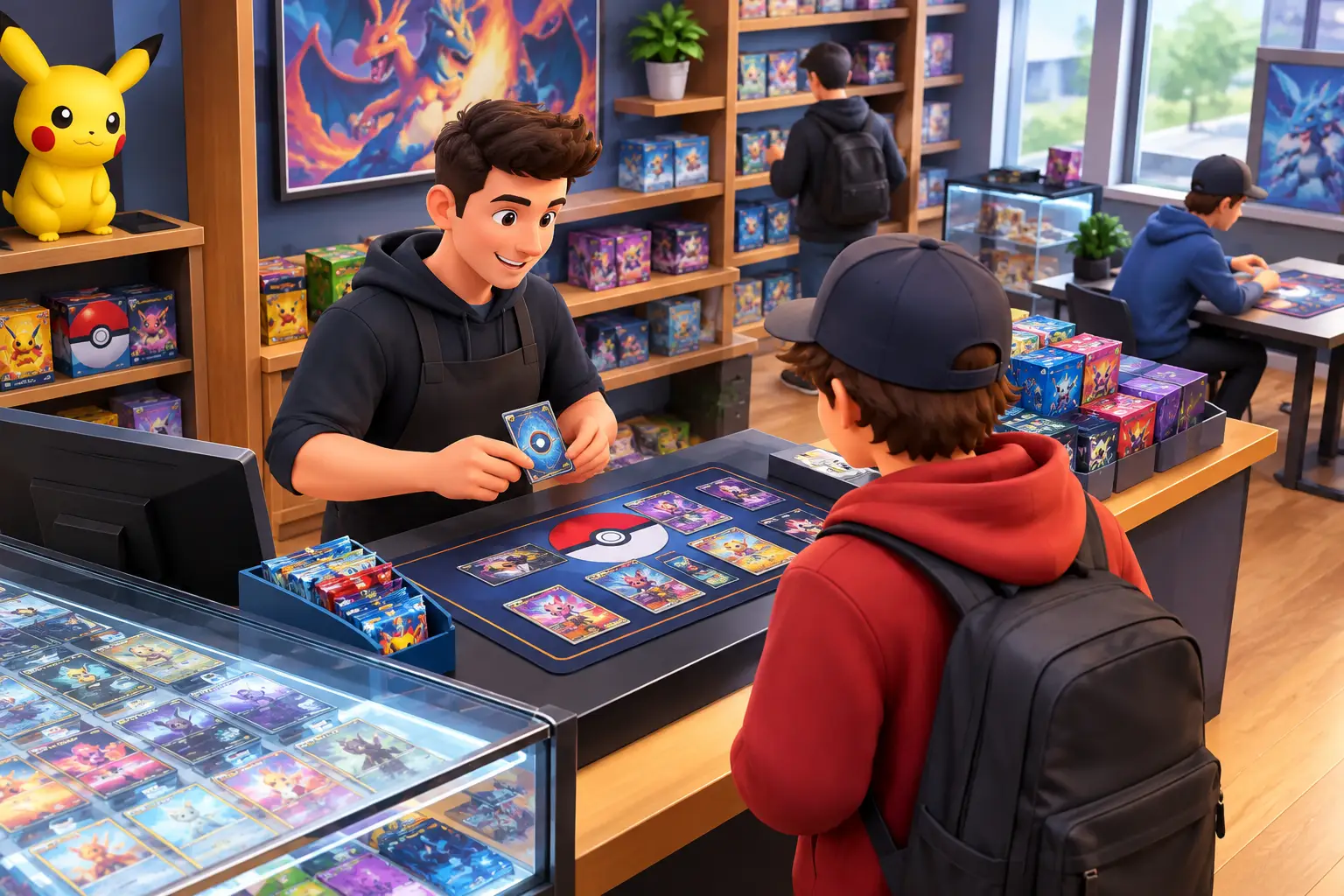
Short answer: TCG Card Shop Simulator is a shop-management game from OPNeon Games where you stock shelves, set prices, serve customers and expand a trading card store. It left Early Access on September 15, 2026 (version 1.0) for PC, PS5, Xbox, Switch and Switch 2. The reported PC requirements are light (a GTX 1050-class GPU and 5 GB of storage), so most Windows PCs can run it. The best way to grow is to protect cash flow: keep products in stock, price for movement, and treat pack opening as a controlled expense.
A packed shelf can look like progress in TCG Card Shop Simulator gameplay, but stock alone does not build a healthy store. The game is about turning limited cash into a shop that customers want to visit, while avoiding the expensive mistakes that leave money trapped in slow-moving products.
The winning rhythm is simple: buy inventory with a purpose, keep the store easy to shop, reinvest profits carefully, and avoid treating every sealed box as a personal opening opportunity. Your shop needs cash flow before it needs a collection of rare cards.
TCG Card Shop Simulator at a Glance
Reported as of October 24, 2026. Confirm on the store pages.
| Developer | OPNeon Games |
| Version 1.0 release | September 15, 2026 (Early Access began on Steam in September 2024) |
| Platforms | PC (Steam and Microsoft Store), PS5, Xbox Series X|S, Xbox One, Nintendo Switch, Switch 2 |
| Game Pass | Reported as available; check what your plan includes |
| Price | Standard Edition reported at $19.99 (check your store) |
| New in 1.0 | Playable "Tetramon" card battles, deck building, CPU opponents and a Tournament Mode |
Not to be confused with TCG Empire: Card Shop Simulator (a different game by a different publisher on the Nintendo eShop) or the many similarly named mobile apps. Buy from the official stores for your platform.
Quick Start: Five Rules for a Healthy Shop
- Keep your best sellers in stock before you buy anything new.
- Hold a cash buffer for the next restock and one planned upgrade.
- Price for movement, not just margin, and change prices in small steps.
- Open packs only after your shelves and next order are covered.
- Change one or two things per day, so you can see what worked.
What TCG Card Shop Simulator Gameplay Is Really About
At its core, the game is a retail management simulator with a collectible card game theme. You order products, place them on shelves, set prices, serve customers, expand the store and decide where each dollar should go next. The card packs and rare pulls create excitement, but the business decisions carry the day-to-day gameplay.
That distinction matters early. A rare card can be valuable, but it is not the same as dependable income. Sealed products on shelves bring customers through the door. Useful fixtures increase what you can display. Store upgrades can raise your capacity and reduce the friction of running the business.
Your priorities will shift as the shop grows. In the first hours, you are trying to survive each order cycle without running out of money. Later, the challenge becomes efficiency: stocking more items, reducing empty shelves, managing a larger customer flow and choosing upgrades that actually pay back their cost.
What version 1.0 adds. The 1.0 release added a playable card game, Tetramon, where you can build decks and battle with the cards you collect, plus a Tournament Mode that lets your store host matches with computer opponents. That gives your inventory a second use, so the same advice applies: collecting should not drain the money your shop needs.
Start With a Store That Can Sell Every Day
The first objective is not variety for its own sake. It is availability. A small shop with a few products consistently in stock is usually in a better position than a cramped store filled with too many product types and no reserve cash.
Begin with products that fit your current shelf space and budget. Watch what disappears first. If an item sells quickly, keep enough on hand to restock it before the shelf stays empty for long. If a product sits for several days, do not keep tying up most of your budget in it just because it looks good in the display.
Think of your cash in three parts: money for the next restock, money for a planned upgrade and a small buffer for mistakes. The buffer is easy to ignore when sales are climbing, but it protects the shop when you over-order or need to react to an empty shelf.
Price for movement, not just margin
Pricing is one of the clearest tradeoffs in the game. A high markup may create a better sale on paper, yet customers can reject the price and leave items sitting. A lower markup can move inventory faster, bringing cash back into the business so you can restock and expand.
There is no single perfect percentage for every product or stage of the game. Test prices in small adjustments. If an item sells smoothly, you may have room to increase the price slightly. If customers keep passing it by, bring it down and see whether the faster sales make up for the lower margin.
The practical goal is not to make every item as expensive as possible. It is to maintain a profitable cycle of stock, sales and restocking. Cash that returns quickly is more useful than theoretical profit sitting on a shelf.
Do Not Let Pack Opening Drain the Business
Opening packs is one of the most tempting parts of the game. It can produce valuable singles, fill out a collection and add a different kind of progression. It can also quietly consume the funds your store needs to function.
Early on, sealed inventory is usually more predictable than chasing rare pulls. If your shelves are empty or you cannot afford the next delivery, opening more packs is a bad trade. Treat pack opening as a controlled expense, not an automatic habit.
A good rule is to open packs only after the shop has enough stock to cover the near-term sales cycle and enough cash to place the next order. As profits grow, you can dedicate a defined portion of surplus money to opening packs. That keeps the fun of collecting without putting the shop at risk.
Singles can become meaningful when you have valuable cards and the space to sell them effectively. Still, their value can fluctuate, and they may take longer to sell than everyday products. Use them as an additional revenue stream rather than the foundation of your early business.
Build for Customer Flow Before Cosmetic Variety
Store layout affects more than appearance. A clean path to shelves, checkout counters and high-demand products helps customers move through the shop without crowding. As you add fixtures, avoid filling every open tile simply because you can afford another rack.
Put popular items where customers can access them easily. Keep checkout areas clear enough to operate without constant obstruction. When your store expands, use the extra room to improve organization first, then add more categories of stock.
There is a balance here. Too little display space limits sales because you cannot show enough inventory. Too much space too soon can leave you with expensive fixtures and not enough inventory to fill them. Upgrade shelves when you can reliably stock them, not just when the purchase becomes available.
The same logic applies to store expansion. More floor space is powerful once your current setup is genuinely constrained. If you still have empty displays or slow products, expansion may not be the best next purchase. A larger shop does not fix weak buying decisions.
Turn Daily Tasks Into a Repeatable Routine
The game becomes much easier when you follow a consistent opening and closing routine. Before customers arrive, check empty shelves, identify products that are low and place only the orders you can support. During the day, keep an eye on checkout demand and replenish high-turnover items when possible.
At the end of the cycle, review what sold, what did not and whether prices felt right. Then make one or two focused changes. Maybe a fast-selling product needs more shelf capacity. Maybe a slow item needs a lower price. Maybe the next cash reserve should go toward an upgrade instead of another bulk order.
Avoid changing everything at once. If you reorder every category, shift all prices and buy new furniture on the same day, it becomes hard to tell what improved performance. Small changes give clearer feedback and protect your budget.
As your store grows, routine also reduces mental load. You do not need to remember every item's status if you check the same areas in the same order. That leaves more attention for bigger decisions, such as when to expand, how much inventory to hold and whether rare-card sales justify more pack opening.
Common Mistakes That Slow Down Growth
Most slow starts come from a few familiar habits.
- Overbuying. Bulk orders can look efficient, but they are only efficient if the product sells before you need that cash elsewhere.
- Buying upgrades too early. New furniture and larger spaces feel like visible progress, while a cash reserve feels invisible. Yet the reserve often matters more. It lets you respond to stock shortages and keeps one poor decision from stalling the store.
- Setting prices and never revisiting them. Customer behavior is information. Products that vanish quickly, products that stagnate and customer reactions all help you adjust.
- Letting collecting override shop management. The game rewards both interests, but they use the same resources. A thriving store gives you more freedom to enjoy card opening later.
TCG Card Shop Simulator PC Requirements
Reported minimum and recommended specs, from a third-party listing. Verify them on the Steam page.
| Minimum | Recommended | |
|---|---|---|
| OS | Windows 10 (64-bit) | Windows 10 (64-bit) |
| CPU | Intel Core i5-3550 | Intel Core i5-6400 |
| RAM | 8 GB | 8 GB |
| GPU | GeForce GTX 1050 (2 GB) | GeForce GTX 1070 (8 GB) |
| Storage | 5 GB | 5 GB |
These are light. A gaming laptop or an older desktop with a dedicated GPU can likely run the game.
Performance tip: the game can get heavier as your store fills with cards, displays and customers. If it slows down, lower graphics settings and cap the frame rate. Keep the store organized, because large numbers of objects are what stress the game.
Platforms, Price and Mods
- PC: Steam and the Microsoft Store. Early Access on Steam began in September 2024, and version 1.0 followed on September 15, 2026.
- Consoles: PS5, Xbox Series X|S, Xbox One, Nintendo Switch and Switch 2.
- Price: the Standard Edition was reported at $19.99. Prices vary by region and change with sales.
- Mods: community mods exist for the PC version. Mods can break after game updates, are not available on consoles, and are made by third parties, so use them at your own risk and download only from well-known sites.
Can You Play TCG Card Shop Simulator on a Mac?
Sources I found conflict. Some say there is native macOS support, and others describe it as playable through a compatibility layer. None of the pages I could read confirmed it. Check the OS list on the Steam page before buying. If there is no native Mac build, a Windows environment, such as a cloud Windows PC, is the straightforward way to play.
Playing on a Cloud PC: When It Makes Sense
TCG Card Shop Simulator's reported requirements are modest, so a cloud PC is not about raw power here. It makes sense in a few situations:
- You use a Mac without a native version.
- Your laptop has no dedicated GPU, or it is shared with other demanding apps.
- You want a persistent Windows desktop for other software too, without buying a new PC.
- You play occasionally and prefer hourly access.
If you already own a capable Windows PC, or you play on a console or Game Pass, those are simpler and cost nothing extra. Cloud play also depends on a stable internet connection and your tolerance for streamed input.
SensePC provides Windows 11 cloud PCs with dedicated NVIDIA L4 GPU configurations, persistent SSD storage and hourly, daily or monthly access, reachable from a Mac, laptop, desktop or supported browser. You buy and install the game yourself. SensePC has not tested this game, so try a short session first. For a broader look at Mac gaming, see what actually works on a Mac.
Let the Shop Fund the Fun
The best stores in TCG Card Shop Simulator are not built through one lucky pull or one oversized order. They grow because the player keeps the basics working: products available, prices sensible, space useful and cash ready for the next move.
Run the shop like a business first. Then use the profits to take bigger chances, collect more cards and build the store you actually want to spend time in.
SensePC at a Glance
| What it is | A Windows 11 cloud PC you access from a Mac, laptop, desktop or supported browser |
| GPU | Dedicated NVIDIA L4 configurations (a data-center GPU, not a top-end gaming card) |
| Storage | Persistent SSD storage |
| Billing | Hourly, daily and monthly |
| Remote access | Performance Mode powered by NICE DCV |
| You provide | Your own game purchase and accounts, a stable internet connection |
| Not tested yet | TCG Card Shop Simulator on SensePC |
What is TCG Card Shop Simulator?
A shop-management game from OPNeon Games where you run a trading card store: ordering stock, setting prices, serving customers, opening packs and expanding the shop. Version 1.0 also added a playable card game called Tetramon.
When did TCG Card Shop Simulator leave Early Access?
September 15, 2026, with version 1.0. Early Access on Steam began in September 2024.
What platforms is TCG Card Shop Simulator on?
PC (Steam and the Microsoft Store), PS5, Xbox Series X|S, Xbox One, Nintendo Switch and Switch 2, and reportedly Game Pass.
How much does TCG Card Shop Simulator cost?
The Standard Edition was reported at $19.99. Prices vary by region and change with sales, so check your store.
What are the TCG Card Shop Simulator PC requirements?
Reported minimum: Windows 10 (64-bit), Core i5-3550, 8 GB RAM, GTX 1050 (2 GB), 5 GB storage. Recommended: Core i5-6400, 8 GB RAM, GTX 1070 (8 GB). Verify on Steam.
Can I play TCG Card Shop Simulator on a Mac?
Not confirmed. Sources conflict on native support. Check the Steam OS list, and if there is no Mac build, use a Windows environment such as a cloud Windows PC.
Is TCG Card Shop Simulator on PS5?
Yes. A PS5 version launched with 1.0 on September 15, 2026.
How do I make more money in TCG Card Shop Simulator?
Protect cash flow. Keep fast sellers in stock, price for movement in small steps, keep a cash buffer, open packs only after your next order is covered, and add shelves and floor space only when your current setup is truly full.
Should I open packs or sell them sealed?
Early on, sealed stock is more predictable. Treat pack opening as a controlled expense after your shelves and next restock are covered, then set aside a fixed share of surplus cash for it.
Does TCG Card Shop Simulator have mods?
Community mods exist for the PC version, made by third parties. They can break after updates and do not work on consoles, so use them at your own risk.
Can my laptop run TCG Card Shop Simulator?
Likely, if it has a dedicated GPU around a GTX 1050. Laptops with only integrated graphics may struggle. Check the requirements above.