Short answer: Graveyard Keeper 2 is a medieval graveyard-management game from Lazy Bear Games, published by tinyBuild and released on September 22, 2026. You build and expand a graveyard, use zombie workers to automate production, and lead an undead army with towers and fortifications. On PC it is Windows only (Steam lists $24.99), so Mac users need a cloud Windows PC or another Windows setup. Its listed requirements are light, so most Windows PCs can run it locally.
Players searching for "Graveyard Keeper 2, command the undead, build, automate" want a darker, smarter production sandbox: undead workers that carry the routine work, buildings that grow into useful systems, and upgrades that remove real bottlenecks. The first game made its name by mixing grim humor with busywork, crafting chains and questionable moral decisions. The sequel is now out, so here is what is confirmed and how to approach it.
Graveyard Keeper 2 at a Glance
Reported as of October 23, 2026. Confirm on the store pages.
| Developer / publisher | Lazy Bear Games / tinyBuild |
| Release date | September 22, 2026 (Steam) |
| PC platform | Windows (Steam lists no Mac or Linux version) |
| Consoles | Announced for PS5, Xbox Series and Nintendo Switch (reports mention Switch 2 too); check your store |
| Steam price | $24.99 |
| Languages | Interface and subtitles in 11 languages; full audio in English only |
| Premise | Run and expand a medieval graveyard, restore a town, and lead an undead army |
Command the Undead
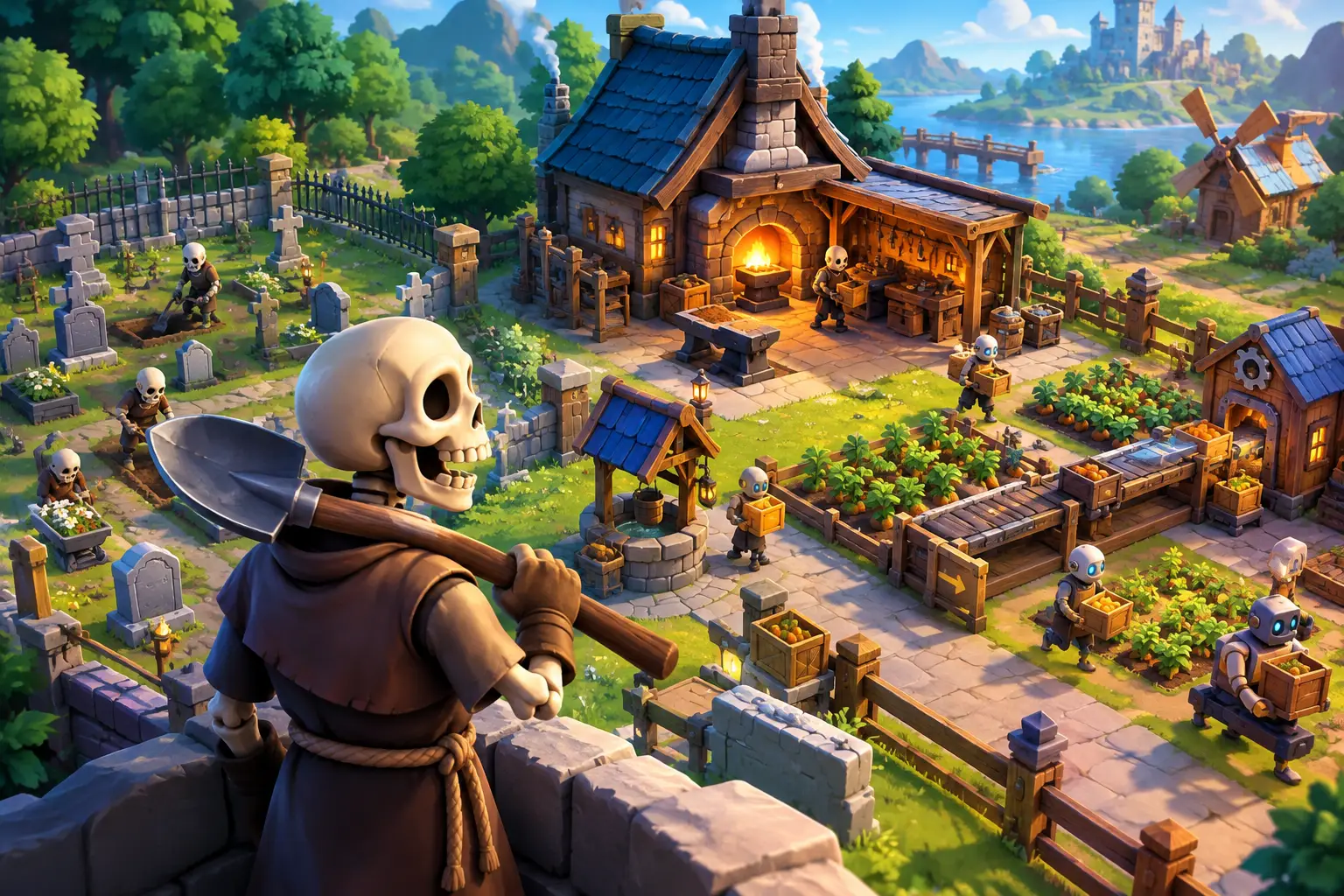
Undead labor is the feature that turns a crafting game with chores into an automation game. According to Steam and trade press, you use zombie workers to handle automated, profit-focused work behind the scenes while you restore the town, and you also lead an undead army into combat, building towers and fortifications and crafting armor and weapons. One report describes you as the "Grand Inquisitor" during a zombie outbreak.
I haven't played the game, so this article does not describe specific controls, such as priority panels, work zones or worker traits. Check reviews and the developer's guides for how worker management works.
Build a Graveyard That Works Like a System
The listing describes harvesting flora, fauna and remains to build machinery, then expanding the graveyard for profit. In a production game, the layout matters: where materials arrive, where they are processed and where they are stored shape how much walking and waiting your operation wastes. Treat each new building as a way to shorten a process or open a new one, not just as scenery.
Automate the Repetition, Keep the Decisions
Automation works best when it removes repetition and keeps the judgment calls. These are general habits for crafting-chain games, not confirmed features of this one:
- Do early jobs by hand so you learn what each material is worth.
- Automate hauling first, since walking the same route is the most repetitive work.
- Watch for the bottleneck, not the biggest machine. One missing input can stall a chain.
- Keep reserves of materials you cannot easily replace, so automation does not consume them.
- Decide what to produce, such as fuel, construction goods or sale items, based on what the town needs next.
Do You Need to Play the First Game?
No. Per the developers' Steam blog, as reported by 80.lv, new players can start with Graveyard Keeper 2 without playing the original, and returning players will find elements they enjoy. The sequel is reported to have a larger world and a new story.
Similar Games
Graveyard Keeper sits in the broader family of crafting and life sims such as Stardew Valley and My Time at Portia, but it leans harder on production chains, tech trees and dark humor. If you like automating a base and managing resource flow, it belongs on your list.
PC Requirements
From the Steam listing (checked October 23, 2026):
| Minimum | Recommended | |
|---|---|---|
| OS | Windows 10 x64 or higher | Windows 10 x64 or higher |
| CPU | Intel Core i3 (13th gen) | Intel Core i5 (13th gen) |
| RAM | 6 GB | 8 GB |
| GPU | GeForce GTX 1650 | GeForce RTX 3060 |
| DirectX | 12 | 12 |
| Storage | 4 GB | 4 GB |
These are modest numbers. A gaming laptop or an older desktop with a dedicated GPU can likely run the minimum settings. Thin laptops with only integrated graphics are the weak spot, and Macs cannot run the Windows build natively.
Can You Play Graveyard Keeper 2 on a Mac or Weak Laptop?
Steam lists Windows only, and no Mac or Linux version was reported. Mac users have two realistic options: a cloud Windows PC, or a Windows setup that can run a DirectX 12 game. (For a broader look, see what actually works on a Mac.)
Because the game's requirements are light, a cloud PC is not about raw power here. It is about getting Windows if you are on a Mac, or a dedicated GPU if your laptop has none. If you already own a Windows PC that meets the specs, running it locally is simpler, needs no internet connection and has no input delay from streaming.
Where a Cloud PC Fits
A cloud PC gives your Mac or lightweight laptop access to a full Windows desktop running on remote hardware. Your device handles the video, keyboard and mouse. You install the game yourself and keep your saves on persistent storage.
SensePC provides Windows 11 cloud PCs with dedicated NVIDIA L4 GPU configurations, persistent SSD storage and hourly, daily or monthly access, reachable from a Mac, laptop, desktop or supported browser. The L4 is a data-center GPU built for efficiency, not a top-end gaming card. SensePC has not tested Graveyard Keeper 2, so test a short session before relying on it, and check the game's launcher and account terms.
A management game is less timing-sensitive than a competitive shooter, so streaming delay usually matters less. It still depends on your connection and distance to the data center. Wired Ethernet or strong Wi-Fi helps.
A physical PC suits players who game most days and want the lowest local input delay. A cloud PC suits Mac users, occasional players and people who do not want to buy hardware first. See what an optimal PC build needs if you are weighing it.
How to Test Graveyard Keeper 2 on a Cloud PC in One Session
- Check the requirements and price on the Steam page.
- Start an hourly session, install the game and let updates finish.
- Play a few in-game days with a busy base, since many workers and machines are what stress a system.
- Pan, build and use menus, and note any stutter or input delay.
- Try combat with your undead army if you have unlocked it.
- Decide whether the setup feels right before committing to more time.
SensePC at a Glance
| What it is | A Windows 11 cloud PC you access from a Mac, laptop, desktop or supported browser |
| GPU | Dedicated NVIDIA L4 configurations (a data-center GPU, not a top-end gaming card) |
| Storage | Persistent SSD storage |
| Billing | Hourly, daily and monthly |
| Remote access | Performance Mode powered by NICE DCV |
| You provide | Your own game purchase and accounts, a stable internet connection |
| Not tested yet | Graveyard Keeper 2 on SensePC |
| See it running | Kingdom Come: Deliverance II on SensePC (a single-player game, not a latency test) |
When did Graveyard Keeper 2 come out?
September 22, 2026, developed by Lazy Bear Games and published by tinyBuild.
What platforms is Graveyard Keeper 2 on?
Windows PC through Steam. Console versions were announced for PS5, Xbox Series and Nintendo Switch (reports mention Switch 2 too). Check each store for current availability.
How much does Graveyard Keeper 2 cost?
Steam listed $24.99 as of October 23, 2026. Prices vary by region and change, so check your store.
What are the Graveyard Keeper 2 PC system requirements?
Minimum: Windows 10 x64, Intel Core i3 (13th gen), 6 GB RAM, GeForce GTX 1650, DirectX 12, 4 GB storage. Recommended: Core i5 (13th gen), 8 GB RAM, RTX 3060. Verify on Steam.
Can I play Graveyard Keeper 2 on a Mac?
Not natively. Steam lists Windows only. A cloud Windows PC can run the Windows version and stream it to a Mac. Check the game's launcher and account rules first.
Do I need to play the first Graveyard Keeper before the sequel?
No. The developers said new players can start with Graveyard Keeper 2, according to 80.lv.
Can you command undead workers in Graveyard Keeper 2? Yes. Steam and trade press describe zombie workers handling automated, profit-focused work, plus an undead army you lead into combat. Check reviews for how worker management works in practice.
Is Graveyard Keeper 2 about automation? Partly. The listing describes building machinery, automating production and expanding a graveyard, alongside quests, town restoration and combat.
Can my laptop run Graveyard Keeper 2?
Likely, if it has a dedicated GPU near a GTX 1650. Laptops with only integrated graphics may struggle. Check the requirements above.
Can you play Graveyard Keeper 2 with cloud gaming?
You can try it on a cloud Windows PC where you install the game yourself. I could not confirm a listing on catalog services such as GeForce NOW or Xbox Cloud Gaming, so check each service's game list.