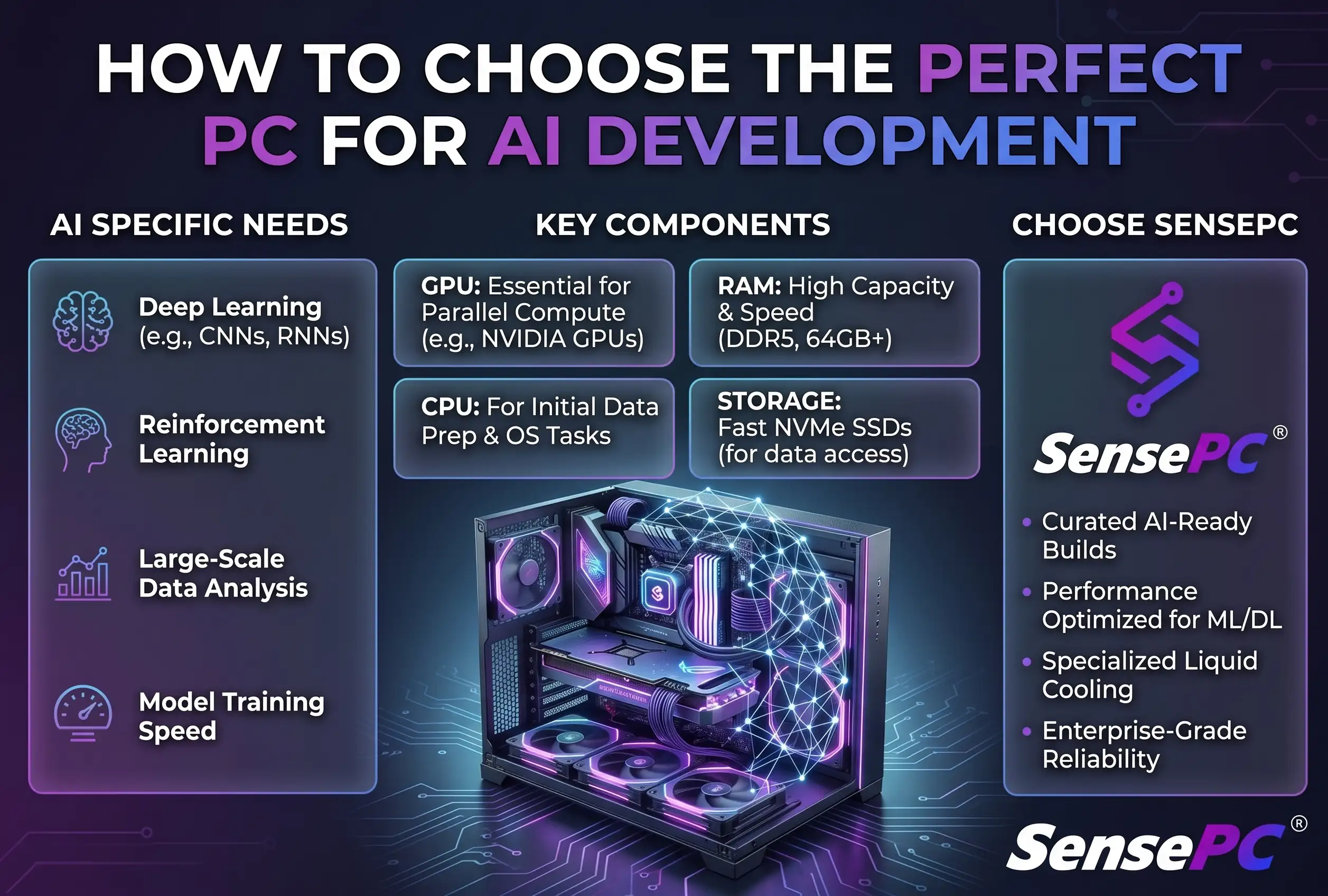
Short answer: For most local AI work, GPU memory (VRAM) matters more than raw GPU speed — it determines how large a model, batch size, image resolution, or context length you can work with before memory errors force compromises. Beyond that, match the machine to what actually fails first in your workflow: a faster CPU won't fix a training run that crashes from insufficient GPU memory, and more GPU power won't fix slow data loading caused by a small, crowded drive.
A perfect PC for AI development isn't defined by the most expensive parts list — it's defined by the models you run, how often you train, and whether you need a machine every day or only when a project gets demanding. For many developers, the best setup isn't a single permanent answer: a local computer may handle coding and small experiments, while a cloud workstation handles GPU-heavy testing, image generation, model fine-tuning, or Windows-only tools.
Start With the AI Workload, Not the PC Parts
AI development covers very different jobs. Training a small classifier, building a retrieval app, experimenting with PyTorch, running ComfyUI, or fine-tuning a language model don't place the same demands on a computer — buying based on a generic "AI PC" label can leave you with the wrong bottleneck.
If you're learning Python, working through notebooks, or testing compact models, a capable CPU, enough RAM, and access to a GPU when needed can be a sensible starting point. If you work with computer vision, diffusion models, CUDA projects, or repeated fine-tuning jobs, the GPU becomes the center of the build.
The key question: what fails first in your current workflow? If training crashes from running out of GPU memory, a faster CPU won't fix it. If data loading is slow because files live on a small, crowded drive, another GPU won't solve that either.
GPU Memory Is Usually the First Priority
For most local AI work, GPU memory is more useful than headline GPU speed — it determines how large a model, batch size, image resolution, or context length you can work with before memory errors force compromises.
A GPU with limited memory can still work for learning, inference, and lightweight experiments, but may require smaller batches, lower-resolution images, quantized models, gradient checkpointing, or offloading parts of a workload to system memory. Those workarounds are valid — they also add time and complexity.
CUDA support is another practical consideration. Much of the popular AI development stack is built around NVIDIA tooling, including PyTorch workflows, TensorFlow configurations, diffusion tools, and many model repositories — that doesn't mean other hardware has no place, but NVIDIA is often the path with fewer compatibility questions for developers following standard tutorials and project documentation.
Not every AI task needs a top-tier GPU. Inference on smaller models and basic experimentation can run well on modest hardware. Larger training runs, frequent image generation, and serious local model work are where extra GPU memory starts to pay for itself.
VRAM Tiers: A Practical Way to Plan
| VRAM tier | Suitable for | Trade-offs |
|---|---|---|
| Lower memory | Learning, inference, narrower projects | May require smaller batches, lower-resolution images, quantized models |
| Midrange | Local experimentation, moderate model sizes | More room before hitting memory limits |
| Higher capacity | Larger training runs, frequent image generation, serious local model work | Reduces need to constantly shrink settings or redesign experiments |
Exact needs depend on model architecture, precision, dataset size, batch size, and optimization methods — there's no universal number that makes a machine ready for every model. Still, choosing more VRAM than your immediate minimum is often wiser than paying for a faster GPU with too little room for the workloads you expect next year.
CPU, RAM, and Storage Still Shape the Experience
The GPU gets attention because it runs the heavy math, but the rest of the system determines whether that GPU stays productive.
A modern multi-core CPU helps with data preparation, code compilation, environment setup, preprocessing, and running several development tools at once — you don't need the most extreme processor for every AI project, but an underpowered CPU can slow down everything that happens before training begins.
| RAM | Fits |
|---|---|
| 16GB | Basic AI learning |
| 32GB | Practical baseline for more comfortable development |
| 64GB+ | Larger datasets, multiple containers, virtual machines, heavier data work |
Storage should be fast and large enough to avoid constant cleanup — models, checkpoints, datasets, Python environments, Docker images, and generated assets grow quickly. An SSD is the sensible default; plan for more capacity than you think you need, especially with image datasets or frequent checkpoints. Separate storage for active projects and archives keeps your main workspace easier to manage.
Build a Local Workstation or Use a Cloud PC?
A physical workstation is still the better fit for some people. If you train models every day, need the lowest possible local latency, have reliable cooling and desk space, and know exactly which hardware you need, ownership can be cost-effective over time — you also keep working when your internet connection is unavailable.
The trade-off is upfront cost. A serious GPU workstation can require a large purchase before you know how much capacity you'll truly use, plus component selection, Windows setup, drivers, heat, noise, repairs, and the eventual upgrade cycle.
A cloud PC is often a stronger option when your GPU demand is occasional, variable, or project-based — accessing a higher-performance Windows environment from a Mac, laptop, desktop, or supported browser without replacing your local device, and useful for a dedicated development setup while traveling or working across locations. Renting GPU capacity instead of buying covers this trade-off in more depth.
SensePC is built around that flexible model: cloud Windows 11 PCs, persistent SSD storage, tiered CPU and RAM options, and dedicated NVIDIA L4 GPU configurations. Setup takes minutes rather than a hardware build weekend — install your tools, keep projects on persistent storage, and return to the same environment later.
That doesn't make cloud computing automatic for every workload. Internet quality, distance from available infrastructure, file transfer needs, and expected session length all matter. A long-running project used every working day may favor ownership or a monthly cloud plan; short bursts of GPU work may favor hourly access. The useful comparison isn't cloud versus local in the abstract — it's cost and convenience per real hour of demanding work.
Choose an Operating System and Environment You Can Maintain
Most AI examples target Linux, but many developers also need Windows for daily applications, game engines, creative tools, or workplace software. Windows can support AI development well through native tools, containers, and Linux environments where appropriate. The best environment is the one you can reproduce and troubleshoot without wasting half a day on setup.
Keep your stack organized: use isolated Python environments or containers, pin major package versions for projects that need repeatable results, and save requirements files, scripts, and notes on CUDA and driver compatibility. Reproducibility is part of performance — a powerful PC doesn't help much if a working environment breaks after an update.
For cloud workstations, persistent storage is especially valuable, letting you keep datasets, repositories, tools, and configured environments in place between sessions instead of rebuilding everything every time you connect.
A Practical Buying Framework
Before you spend money, estimate your real usage pattern against four questions:
- What models and tools will you run in the next six to twelve months?
- How often will you need substantial GPU capacity?
- Is GPU memory, CPU speed, RAM, storage, or portability your current bottleneck?
- Would you rather pay upfront for always-available hardware, or pay based on periods of heavy use?
If you need a machine for coding, classes, and occasional experiments, prioritize a comfortable daily computer and flexible GPU access — see general dev workstation needs for the non-AI-specific version of this guidance. If you're building production prototypes, training frequently, or handling larger local datasets, prioritize VRAM, RAM, fast SSD space, and a stable environment. If you need Windows GPU power but use a Mac or lightweight laptop, a cloud workstation can fill the gap without forcing a full hardware replacement.
The best AI setup is the one that lets you test ideas quickly without paying for unused capacity. Start with the workload you have, leave room for the work you expect, and choose ownership or on-demand GPU access based on how often serious compute is actually part of your week.
How much VRAM do I need for machine learning?
It depends on model size, precision, and batch size, but as a practical guide: lower-memory GPUs suit learning and narrower projects, midrange VRAM gives more room for local experimentation, and higher capacity is worth it for larger training runs or frequent image generation. There's no single number that fits every model.
How much RAM do I need for AI development?
16GB can work for basic learning. 32GB is a practical baseline for comfortable development. 64GB or more is worth considering for larger datasets, multiple containers, or virtual machines running alongside your main work.
Can I do AI development on Windows instead of Linux?
Yes. Most AI examples target Linux, but Windows supports AI development well through native tools, containers, and Linux environments where needed — the priority is an environment you can reproduce and troubleshoot reliably, not the specific OS.
Is a cloud GPU PC good enough for training AI models, or do I need to own hardware?
It depends on frequency. Daily, heavy, latency-sensitive training favors ownership. Occasional, variable, or project-based GPU demand — testing tools, fine-tuning periodically, learning — often fits a cloud PC better, since you avoid a large upfront purchase for capacity you won't use constantly.
Do I need a top-tier GPU for AI development?
No. Inference on smaller models and basic experimentation runs well on modest hardware. A top-tier GPU (or more VRAM specifically) starts paying for itself with larger training runs, frequent image generation, or serious local model work.