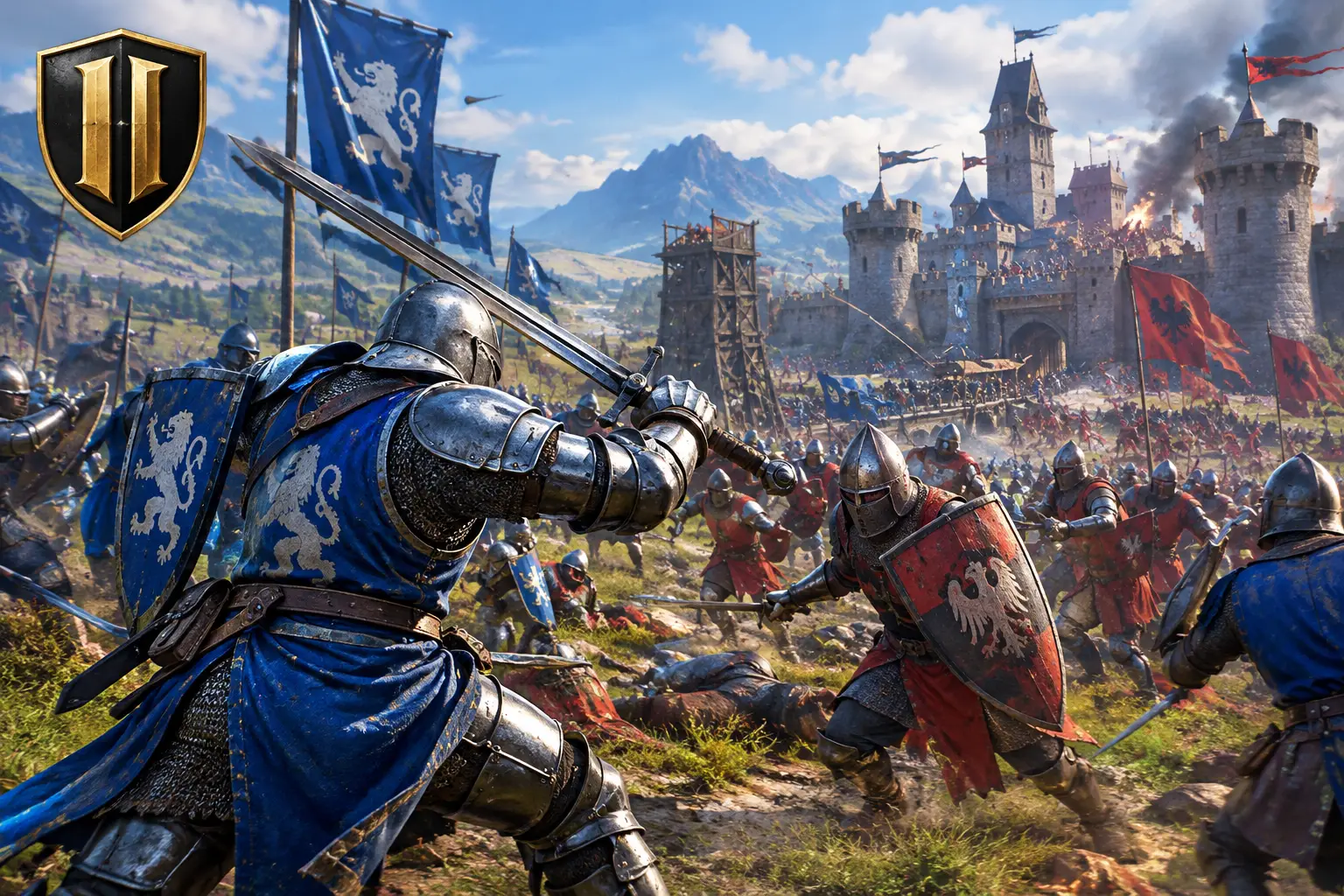
Chivalry 2 is a first-person multiplayer medieval combat game from Torn Banner Studios where large teams fight through objective-based maps with swords, axes, spears and bows. Combat rewards timing, reach and teamwork over twitch aim. It can be played on a cloud PC, but anti-cheat rules and network delay matter for a timing-based game.
Quick facts
| Item | Details |
|---|---|
| Developer | Torn Banner Studios |
| Genre | First-person multiplayer medieval melee combat |
| Released | 2021 [verify] |
| Modes | Objective-based team battles and other multiplayer modes; offline bot matches [verify] |
| Single-player campaign | No |
| Status | Reported to be in maintenance mode as of October 22, 2026 [verify] |
| Platforms | PC, Xbox, PlayStation [verify] |
| Game Pass | Reported to be available on Xbox Game Pass in the US [verify catalog] |
What makes Chivalry 2 gameplay different
Each match puts players in a medieval conflict between rival factions. The biggest modes are objective-based battles, with attackers and defenders fighting through several stages of a map. One team may need to burn a village, breach a castle, steal an item or eliminate a key target, while the other holds the line until time runs out.
That structure gives every battle momentum. A skirmish at a bridge can decide whether your team reaches the next objective, and a well-timed push through a crowded courtyard can change the match.
The combat system
Basic attacks include slashes, overhead swings and stabs. You can block, counter, kick, feint and use heavy attacks. Weapon choice changes how you play:
- Long spears give reach but need space.
- One-handed weapons are faster in tight areas.
- Heavy weapons can punish grouped enemies but leave you exposed if you miss.
For players coming from shooters, the biggest change is reading an opponent instead of reacting to a crosshair. Timing, reach, footwork and stamina all matter. So does knowing when to stop dueling and help your team push the gate.
Classes
Classes give clear roles without locking teams into a rigid composition:
| Class | Style |
|---|---|
| Vanguard | Aggressive damage and mobility |
| Knight | Armor and hard-hitting weapons |
| Footman | Versatile weapons and support options |
| Archer | Controls distance, but must watch for enemies closing in |
Confirm the current class list and names against the game's official pages.
Strategy: how to fight in big battles
- Position before you chase. Fighting beside teammates helps you avoid being surrounded.
- Flank. Players focused on the front line are easier to hit from the side.
- Retreat when needed. Backing off to recover stamina beats draining it against a better defender.
- Play the objective. Helping the push often matters more than winning a duel.
Beginner tips
- Start with a predictable weapon and learn its range.
- Block attacks instead of holding block constantly.
- Learn counters, which save stamina and turn defense into an opening.
- Use feints and kicks sparingly, and watch opponents' habits.
- Give yourself time to learn the rhythm. Panic swinging stops working quickly.
Playing Chivalry 2 on a cloud PC: what to check
Chivalry 2 is at its best when controls feel responsive and the action stays clear in crowded fights. That makes your setup part of the experience.
Why a cloud PC can help: a Mac, lightweight laptop or older desktop can show the stream while a stronger Windows PC does the rendering. SensePC offers Windows 11 cloud PCs with NVIDIA L4 graphics, persistent SSD storage and Hourly, Daily or Monthly billing, reached through a browser or Performance Mode (native Amazon DCV client on supported Windows and macOS computers).
What to check first:
- Anti-cheat and terms. Online multiplayer games often use anti-cheat, and some systems restrict virtual or cloud machines. SensePC has not verified Chivalry 2's behavior on a cloud PC. Check the publisher's terms and try a short session first.
- Latency. Chivalry 2 depends on timing, such as reading a feint or reacting to an overhead swing. Choose the closest of SensePC's 8 regions (ideally within about 500 miles), and also consider where the game's servers are, since both legs add delay.
- Connection. Use wired Ethernet or strong 5 GHz Wi-Fi and close background uploads. See the Wi-Fi 6 vs. Ethernet guide and the bitrate guide.
- GPU tier. The Xtreme plans use a dedicated L4 with 24 GB and are recommended for gaming. Standard, Pro and Ultra plans share an L4. The L4 is an efficient data-center GPU, not a top-end gaming card, so you may need to lower graphics settings in crowded scenes.
- Test. Join a match on an Hourly session, watch Session Live for latency and FPS, and decide before committing.
When a local PC is better: unreliable internet, very frequent play, or when the lowest possible input delay matters most. See SensePC pricing and cloud gaming.
Set up for better matches
Close unnecessary background apps and use a stable wired connection when possible. If you play through a cloud PC, avoid congested Wi-Fi and test your connection before competitive matches. Fight with your team, pick your moments, and accept that some deaths will be spectacular.
1. What is Chivalry 2?
Chivalry 2 is a first-person multiplayer medieval combat game from Torn Banner Studios. Players fight in large team battles with swords, axes, spears and bows.
2. How does Chivalry 2 gameplay work?
Teams of attackers and defenders fight through objective-based maps. Combat uses slashes, overheads, stabs, blocks, counters, kicks, feints and heavy attacks, with stamina and timing playing a big part.
3. Does Chivalry 2 have a single-player campaign?
No. It is primarily a multiplayer game. You can play against AI bots, but it has no traditional story campaign.
4. Can I play Chivalry 2 offline?
Offline bot matches exist, but you generally need an internet connection to launch the game and access them. Check the game's current behavior.
5. What classes are in Chivalry 2?
Vanguard, Knight, Footman and Archer. Each has a different role, from aggressive mobility to heavy armor to ranged control.
6. What are the best weapons for beginners?
Start with a predictable weapon that balances reach, damage and ease of use. Learn its range before trying heavier or more specialized weapons.
7. What are the best tips for beginners in Chivalry 2?
Learn one weapon, block instead of holding block, use counters to save stamina, stay near teammates, and prioritize the objective over chasing kills.
8. What strategies do top Chivalry 2 players use?
They win through timing, controlling the initiative, footwork and reading opponents, and they mix feints and counters instead of swinging repeatedly.
9. How does Chivalry 2 compare to other medieval combat games?
It focuses on large, chaotic, objective-based battles with melee combat that rewards timing and positioning. Other games may offer smaller duels or different combat systems.
10. Is Chivalry 2 on Xbox Game Pass?
Reported to be available on Game Pass in the US. Catalogs change, so check the current Game Pass listing.
11. Is Chivalry 2 still being updated?
Reported to be in maintenance mode as of October 22, 2026, with active content development finished. Check the developer's announcements.
12. What do players say about Chivalry 2's gameplay and graphics?
Players generally praise the chaotic, satisfying battles and cinematic feel, with criticism of clunky moments and uneven matchmaking.
13. Can I play Chivalry 2 on a cloud PC?
Possibly. A cloud Windows PC can run PC games, but anti-cheat and launcher rules can restrict virtual machines. SensePC has not tested Chivalry 2, so try a short session first.
14. Will Chivalry 2's anti-cheat work on SensePC?
SensePC has not verified it. Check the publisher's terms and test a short session before relying on it.
15. Is cloud gaming good for a timing-based melee game like Chivalry 2?
It can work, but streaming delay affects feints and counters. A close region, wired connection and Performance Mode help. Test with an Hourly session.
16. What internet connection do I need to play Chivalry 2 on a cloud PC?
A stable, low-latency connection matters more than raw speed. Use wired Ethernet or strong 5 GHz Wi-Fi and a nearby region.
17. Which SensePC plan is best for Chivalry 2?
SensePC recommends Xtreme plans for gaming, with a dedicated NVIDIA L4 (24 GB). The Standard, Pro and Ultra plans share an L4 and cost less. Try an Hourly session to see which suits you.
18. Should I play Chivalry 2 on a cloud PC or a local gaming PC?
A cloud PC suits occasional or seasonal play, Mac users and lightweight laptops. A local PC suits frequent play, unreliable internet and the lowest latency.