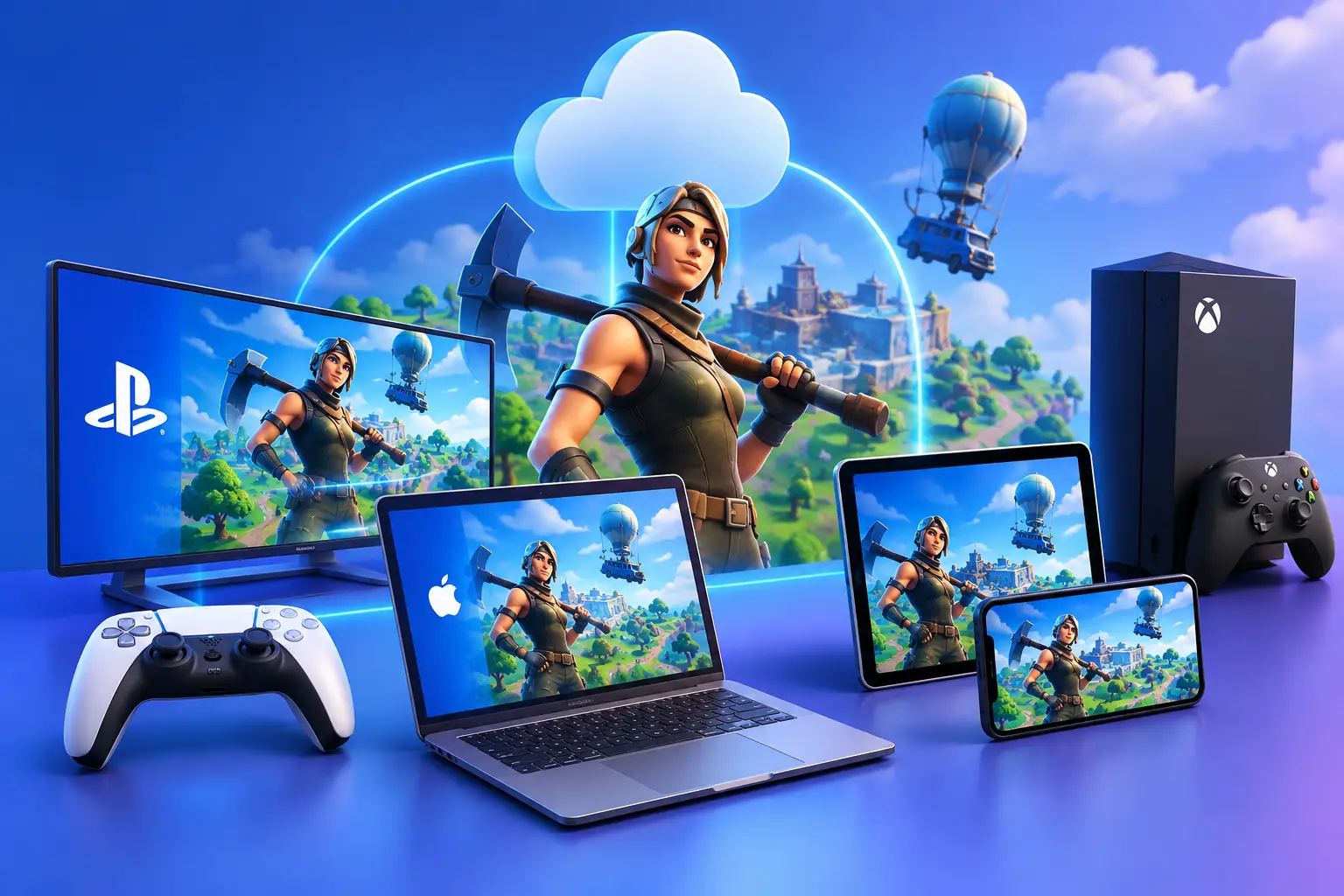
Fortnite cloud gaming, Fortnite cross-play and "can I play Fortnite on Mac?" all come down to where the game runs. Epic says Fortnite is not available natively on Mac, and that it is not supported on virtual machines or non-native operating systems. For Mac, Chromebook and low-spec laptops, Epic points to three cloud-streaming services: Xbox Cloud Gaming, GeForce NOW and Amazon Luna. Fortnite also needs no big local download when you stream it.
Quick answers
| Question | Short answer |
|---|---|
| How many GB is Fortnite? | No single official number. Third-party reports range from about 26 GB (2024) to 36 to 50 GB base and up to 80 GB with everything installed (2025). Check the Epic Games Launcher before you install |
| Can I play Fortnite on a Mac? | Not natively. Epic points Mac players to cloud streaming |
| Is Fortnite cloud gaming free? | Free options exist, with limits such as one-hour sessions and queues [VERIFY] |
| Is Fortnite cross-platform? | Yes, across PC, consoles and mobile. Cloud-streaming players join the same matches [VERIFY] |
| Does Epic support Fortnite on a cloud PC or virtual machine? | No. Epic says virtual machines are not supported |
| Do I need Xbox Game Pass or PlayStation Plus? | Fortnite is free to play. Cloud access on Xbox is free with a Microsoft account, per current reports [VERIFY] |
How many gigabytes is Fortnite?
There is no single answer, and Epic does not publish one on its system-requirements page. That page lists the recommended hardware (including an NVMe SSD) but no free-space number. Install size also changes with every season, platform and optional component.
| Source | Date | PC | Other platforms |
|---|---|---|---|
| The Global Gaming | Updated Mar 9, 2024 | About 26 GB (intro says about 25) | PS5 18 GB, Xbox One 19 GB, Xbox Series X 22.5 GB, mobile 1.5 to 3 GB. Notes the game grew from 26 GB to over 36 GB with patches |
| The Spike | Updated Jul 17, 2025 | 36 to 50 GB base, up to 80 GB with everything installed | PS5 about 36 GB (up to 45 GB), Switch 18 to 20 GB, Switch 2 about 38 GB, Android 3.5 GB growing to 10 to 13 GB |
Both are third-party estimates and they disagree. Treat them as a range, not a spec. [VERIFY: check Epic Games Launcher's install dialog and re-measure]
Why Fortnite takes so much space: it ships many high-resolution assets, keeps adding seasonal content, and stores separate files for extra modes. On PC, optional components such as high-resolution textures can be unchecked in the launcher to save space [VERIFY].
Practical planning: leave generous free space on a fast drive, since Epic recommends an NVMe SSD, and expect updates to grow the install over time. If local storage is the problem, streaming Fortnite through a cloud service avoids the local install entirely.
Can I play Fortnite on a Mac?
Not natively. Epic's help center says Fortnite is not available on Mac and points Mac players to cloud gaming. The practical routes are:
| Route | What it is | Notes (reported, verify before publishing) |
|---|---|---|
| Xbox Cloud Gaming | Streams Fortnite to a browser | Free with a Microsoft account, sessions up to one hour, queues when busy. Microsoft is reworking paid cloud access [VERIFY] |
| GeForce NOW | NVIDIA's streaming service | Free tier with ads before sessions, queues behind paying members, one-hour sessions. Paid tiers offer longer sessions [VERIFY] |
| Amazon Luna | Amazon's streaming service | Included with Prime or Luna Premium, available in 14 countries [VERIFY] |
Source for the table: a third-party guide updated Oct 28, 2026, and Epic's cloud-streaming help article, which lists these three services. Confirm limits on each provider's own page, because they change.
What about Parallels or other virtual machines on a Mac? Epic's help article says Fortnite "is not supported and cannot run on non-native operating systems," and names Parallels and virtual machines as examples. Don't use workarounds that hide or spoof a virtual machine. They can break the rules and put your account at risk.
Fortnite cloud gaming vs. a cloud Windows PC
These are different things.
Fortnite cloud gaming means a supported service streams the game to your browser or app. It is quick to start, needs no large download, and is the route Epic names for Mac and other unsupported devices.
A cloud Windows PC is a persistent Windows desktop in a data center that you install software on yourself, like a physical PC. It suits Windows-only apps, development, creative tools, coursework and many PC games. But it is a virtualized environment, and many online games, Fortnite included according to Epic's help article, do not support virtual machines. Anti-cheat decisions are made by the publisher and can change after any update. See our anti-cheat compatibility guide.
Where SensePC fits. SensePC is a cloud PC service from Senseminder LLC that lets you launch persistent Windows 11 and Ubuntu Linux cloud PCs with NVIDIA L4 graphics for gaming, development, AI, creative work and business, with flexible Hourly, Daily or Monthly access. If you are on a Mac and want Fortnite specifically, use one of the three services above. If you want a Windows environment for other work or for games whose publishers allow it, a cloud PC is a reasonable option. Check each game's rules first, and test a short session before relying on it.
Is Fortnite cross-platform?
Yes. Fortnite crossplay is reported to cover PC, PlayStation 4 and 5, Xbox One and Series X|S, Nintendo Switch and Switch 2, iPhone, iPad and Android, and players streaming through cloud services join the same matches [VERIFY]. Native Mac is the exception because there is no native Mac version.
- Crossplay is on by default. Per current reports, only PlayStation and Xbox players can turn it off, through the console's own privacy settings. PC, Switch and mobile have no toggle [VERIFY].
- Your Epic account is the key. Cosmetics, progression, friends and purchases are tied to the account, not the device. Use the same account everywhere to avoid splitting progress.
- Cross-play is not identical play. Keyboard and mouse, controller and touch behave differently, and matchmaking can depend on input and mode.
What affects Fortnite cloud gaming quality?
- Connection: a stable wired or strong Wi-Fi link. Congestion, distance from the router and packet loss hurt responsiveness.
- Distance to the server: closer is generally better for interactive streaming.
- Session limits and queues: free tiers can have one-hour sessions and waiting lines.
- Your device: you don't need a gaming GPU, but you need a current browser or app.
Competitive players who want the lowest possible input delay, or who play many hours a week, may still prefer a local gaming PC or console.
Fortnite on other devices at a glance
| Device | Status |
|---|---|
| Windows PC or laptop | Supported if it meets Epic's requirements (see FAQ) |
| PS5, PS4, Xbox Series X | S, Xbox One, Switch |
| iPhone and iPad | Returned to the US App Store in May 2025 and expanded to more regions in May 2026. Availability depends on region [VERIFY] |
| Android | Available on Google Play in many regions [VERIFY] |
| Mac | No native version. Use cloud streaming |
| Chromebook | Use cloud streaming in a browser [VERIFY] |
| Steam Deck | Not supported natively because of Easy Anti-Cheat [VERIFY] |
| PS3, PSP | Not supported [VERIFY] |
1. How many gigabytes is Fortnite?
Epic does not publish one number, and third-party sources disagree. Reports range from about 26 GB in a 2024 article to 36 to 50 GB base and up to 80 GB with everything installed in a 2025 article. Check the Epic Games Launcher's install dialog for the current size on your platform, and expect updates to grow it.
2. How much space does Fortnite take on PC?
Roughly 26 to 50 GB for the base game in recent third-party reports, and up to about 80 GB with all optional content. Epic recommends an NVMe SSD. Keep extra free space for updates, and uncheck optional components in the launcher if you need to save space.
3. How many GB is Fortnite mobile?
Third-party estimates vary: around 1.5 to 3 GB at first install in one source, and about 3.5 GB (Android) to 9 GB (iOS) in another, growing as the game downloads more content. Check the store listing and expect it to grow over time.
4. Why does Fortnite take up so much space?
It includes large, high-resolution assets, adds new seasonal content regularly, and stores separate files for extra modes. On PC you can often deselect optional components such as high-resolution textures to reduce the footprint.
5. Can you play Fortnite on a Mac?
Not natively. Epic's help center says Fortnite is not available on Mac and directs Mac players to cloud-streaming services: Xbox Cloud Gaming, GeForce NOW and Amazon Luna. These stream the game to a browser, so no large local install is needed.
6. Can you play Fortnite on a MacBook Air or other MacBook?
Only through cloud streaming. A MacBook acts as the screen and controls. Use a current browser, a stable connection and, if possible, a wired or strong Wi-Fi link. Epic says Parallels and other virtual machines are not supported.
7. Is Fortnite cloud gaming free?
There are free options, with limits. Xbox Cloud Gaming is reported to be free with a Microsoft account, with up to one-hour sessions and queues at busy times. GeForce NOW has a free tier with ads and queues. Amazon Luna is not free. Check each provider, because terms change.
8. Is Fortnite cross-platform?
Yes. Fortnite crossplay is reported to cover PC, PlayStation, Xbox, Nintendo Switch, iPhone, iPad and Android, and cloud-streaming players join the same matches. Your Epic account carries cosmetics, progression and friends across devices.
9. Can mobile Fortnite players play with PC and console players?
Yes, where crossplay is available. Controls differ between touch, controller and keyboard and mouse, and matchmaking can depend on mode and input. You can usually party up with friends on other platforms through your Epic friends list.
10. Where is the cross-platform setting in Fortnite?
On PC, Nintendo Switch and mobile there is reportedly no toggle because crossplay is on. On PlayStation and Xbox it is controlled in the console's own privacy or communication settings, not in Fortnite's menu. Menu names change, so check your console's current settings.
11. Do you need Xbox Game Pass or Xbox Live to play Fortnite?
Fortnite is free to play, and gaming outlets have reported for years that no paid Xbox or PlayStation subscription is needed to play it. Xbox Cloud Gaming access to Fortnite is reported to be free with a Microsoft account. Confirm on Epic's or Xbox's current pages.
12. Do you have to pay for Fortnite?
The core Battle Royale experience is free to play on supported platforms. Cosmetics, V-Bucks and the Battle Pass are optional purchases. Some modes, such as Save the World, have been sold separately, so check Epic's current offering.
13. Can you play Fortnite on a laptop?
Yes, on a Windows laptop that meets Epic's requirements, or on any laptop through a cloud-streaming service. Reported minimums include Windows 10 22H2 64-bit, a Core i3-3225 CPU, 8 GB of RAM and an Intel HD 4000 or equivalent graphics. Epic recommends a GTX 960 class GPU, 16 GB of RAM and an NVMe SSD.
14. What are the Fortnite PC system requirements?
Epic lists minimums such as Windows 10 22H2 64-bit, Core i3-3225 3.3 GHz, 8 GB RAM and Intel HD 4000 or AMD Radeon Vega 8. Recommended is a GTX 960, R9 280 or equivalent GPU with 2 GB of VRAM, a Core i5-7300U or Ryzen 3 3300U class CPU, 16 GB or more of RAM and an NVMe SSD. Check Epic's page for current numbers.
15. Can you play Fortnite on a Chromebook?
Through a browser with a cloud-streaming service such as Xbox Cloud Gaming or GeForce NOW. A Chromebook can't run the PC version natively. Service availability and limits vary, so check the provider's page.
16. Can you play Fortnite on a cloud PC or virtual machine?
Epic says no. Its help center states that Fortnite is not supported and cannot run on non-native operating systems, and lists virtual machines among unsupported setups. For cloud play, Epic names Xbox Cloud Gaming, GeForce NOW and Amazon Luna. SensePC has not tested Fortnite on its cloud PCs and does not claim it works. Do not use tools that hide virtualization.
17. Can you play Fortnite on a Steam Deck?
Not natively. Epic has said Fortnite will not be supported on Steam Deck because of its anti-cheat. People who want to play it there generally use a cloud-streaming service in a browser, subject to that service's limits.
18. Can you play Fortnite on PS5, PS4 or Xbox One?
Yes. Fortnite runs on PlayStation 5 and 4 and on Xbox One and Series X|S, and it supports crossplay with other platforms. It is not available on PS3 or PSP.
19. Can you play Fortnite on iPhone or iPad?
Fortnite returned to the US App Store in May 2025 and expanded to more regions in May 2026, so availability depends on your country and iOS version. Check the App Store listing for your region.
20. Can you play Fortnite in VR?
There is no native VR version for PC headsets. Some reports say Quest users can play through Xbox Cloud Gaming in a browser. Confirm current support before buying anything.